
Enterprise IT Strategy
Enterprises do not fail because they lack one security tool, one backup product, or one hosting provider. They fail when these services are managed as separate projects instead of one resilience system. The organizations that stay operational treat backup, cybersecurity, SSL, domain governance, managed hosting, and disaster recovery as a shared operating model with clear ownership, tested recovery paths, and measurable service levels.
Executive summary: if your business wants fewer outages, faster recovery, and less security exposure, the answer is not to buy more point solutions. The answer is to define what has to stay online, how quickly it must recover, and who is responsible when a certificate expires, a backup fails, a firewall rule breaks, or a domain record changes unexpectedly.
Key principle: resilience is an operating discipline, not a purchase. Best-in-class enterprise teams align people, process, and platform around a small set of outcomes: protect data, keep services available, recover quickly, and prove it with tests.
Why enterprises need one resilience model
Most business interruptions begin as small technical problems and become expensive because they are discovered late. A failed certificate renewal becomes an outage. An untested backup becomes a failed restore. A weak password on a hosting console becomes a security incident. A domain registrar lockout becomes a brand and revenue problem. When these services are managed independently, teams usually discover the gap only after the incident has started.
Current industry best practice is to design these controls together. That means the same leadership team should be able to answer five questions at any time: What data is protected? What is the recovery point objective? What is the recovery time objective? Where is the authoritative source of truth for domains and certificates? How do we restore safely after a breach or ransomware event?
| Area | Modern enterprise practice | Why it matters |
|---|---|---|
| Backup | 3-2-1-1-0 approach with immutable copies, off-site storage, and regular restore tests | Prevents a single failure or ransomware event from destroying recovery options |
| Cybersecurity | MFA, least privilege, EDR, patch governance, and logging on all privileged systems | Reduces the chance that one credential or one unmanaged endpoint becomes a breach |
| Managed hosting | Health monitoring, patch windows, capacity planning, and backup-aware change control | Keeps customer-facing systems stable and easier to support |
| SSL and domains | Certificate lifecycle automation, DNS ownership controls, registrar lock, and renewal alerts | Prevents silent outages, phishing exposure, and brand trust failures |
| Disaster recovery | Written runbooks, tested failover, and business-approved RTO/RPO targets | Turns an emergency into a managed recovery instead of a scramble |
Backup and cybersecurity must be designed together
Enterprise backup is no longer just about copying files. A useful backup program protects the organization against deletion, corruption, insider mistakes, ransomware, and cloud misconfiguration. That requires encryption in transit and at rest, immutable storage where possible, separate administrative accounts, and a recovery process that can be executed by more than one person. If an attacker gains access to the same account used to manage backups, the backup system can become another point of failure.
What current best practice looks like
- Immutable or write-once backup copies: preserves restore points even if primary systems are compromised.
- Separate admin roles: limits the blast radius if one account is phished or stolen.
- Routine restore drills: verifies that backup data is actually usable, not just present.
- Endpoint and server monitoring: helps teams detect ransomware behavior early enough to contain it.
- Versioned retention policies: allows recovery from a mistake that is discovered days or weeks later.
If your backup platform has never been tested against an actual restore ticket, the business should treat that as an open risk. A backup that cannot be restored inside the agreed recovery window is not a complete control; it is an assumption.
Watch out for this common mistake: teams often assume the backup vendor equals business continuity. It does not. Continuity requires tested procedures, access to the right people, clear communication paths, and a recovery order that prioritizes core applications first.

Managed hosting should lower risk, not add complexity
For enterprise businesses, managed hosting should feel like a reliability layer. The hosting stack needs patch discipline, capacity monitoring, log visibility, incident routing, and clear change windows. It also needs to be compatible with the backup and recovery design, because hosting outages become much more expensive when the recovery path is unclear.
What to expect from a strong hosting partner
- Proactive uptime and resource monitoring.
- Maintenance windows that are documented and communicated.
- Fast escalation when performance or security events appear.
- Compatibility with restore testing, staging, and rollback.
- Clear ownership of patching, certificates, and DNS handoffs.
QuickMSP’s managed hosting approach fits naturally into this model because hosting is treated as part of the business continuity plan, not just a place to put workloads.
SSL, domains, and DNS are control points, not admin chores
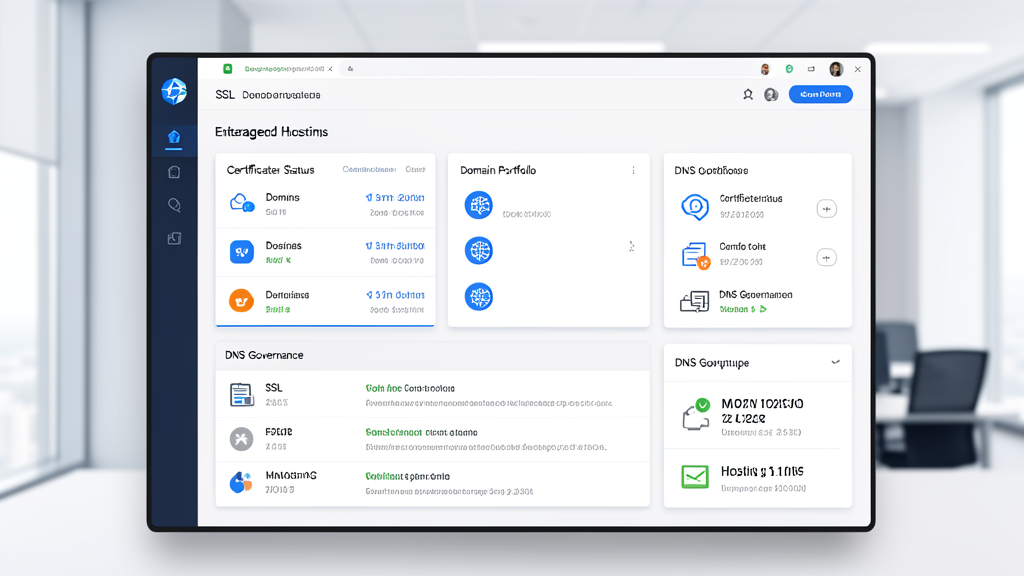
SSL certificate expiry still causes preventable outages across enterprises. Domain records and DNS settings can also be weaponized if they are not protected with registrar locks, multi-factor authentication, and controlled change workflows. These are not minor tasks. They are customer trust controls.
Use this checklist for web-facing assets
- Track every production domain in one register with an owner and renewal date.
- Enable MFA on registrar, DNS, and hosting accounts.
- Use TLS 1.2 or TLS 1.3 and retire weak legacy cipher suites.
- Automate certificate renewal alerts well before expiration.
- Lock high-value domains and restrict who can update DNS records.
- Document who can approve redirects, name server changes, and emergency cutovers.
Disaster recovery must be rehearsed, not imagined
Disaster recovery is where many plans look good on paper but fail in practice. A mature program defines the order of recovery, the location of clean backups, the communication chain, and the exact steps required to bring services back online. It also distinguishes between a technical restore and a business restore. Recovering a server is not the same as recovering the service customers rely on.
Use the following order when building or reviewing a recovery plan:
- Identify crown-jewel systems and data sets.
- Set business-approved RTO and RPO targets.
- Define who declares an incident and who approves failover.
- Store recovery documentation somewhere accessible during an outage.
- Run tabletop exercises and at least one real restore validation on a schedule.
For enterprises, the real value of disaster recovery is confidence. When leadership knows that restore paths, contact trees, and service dependencies are documented and tested, response time improves and stress drops.
Quick win: if you do only one thing this quarter, run a restore test on your most important business system and document the actual time it took. That single exercise often reveals more about resilience than a month of meetings.
How to choose a reliable MSP
Reliable MSPs do not simply monitor systems; they help leaders reduce operational uncertainty. The right partner should understand your service dependencies, communicate clearly, and take responsibility for both prevention and recovery. They should also be able to explain how backup, cybersecurity, hosting, SSL, and domains fit together instead of treating them as separate tickets.
- Look for measurable SLAs and response times.
- Ask how restore tests are performed and how often they are validated.
- Verify that they support least-privilege access and MFA for admin workflows.
- Confirm that they can coordinate change control across hosting, DNS, and certificates.
- Ask for a practical plan for ransomware containment and recovery.
That is where QuickMSP fits naturally. We help enterprises build a simpler, more dependable operating model across backup, cybersecurity, managed hosting, SSL, domains, and recovery planning so the business can stay focused on growth instead of fire drills.
Need a practical resilience plan for your enterprise? QuickMSP can help you align your backup strategy, hosting environment, SSL and domain governance, and disaster recovery controls into one dependable framework. If you want fewer surprises and faster recovery, let’s talk.
Bottom line: enterprise resilience is built when backup, cybersecurity, managed hosting, SSL, domains, and disaster recovery are managed as one system. When those moving parts are governed together, you reduce downtime, shorten recovery, and make your operations much harder to disrupt.