Category: Cybersecurity

  • Secure Enterprise Browsers Are Becoming the Control Point for AI and SaaS Risk | QuickMSP

    Secure Enterprise Browsers Are Becoming the Control Point for AI and SaaS Risk | QuickMSP

    SEO title: Secure Enterprise Browsers Are Becoming the Control Point for AI and SaaS Risk | QuickMSP
    Meta description: Secure enterprise browsers are emerging as a practical control point for AI, SaaS, data loss, and hybrid workforce risk. Learn what enterprises should do now.
    Suggested slug: secure-enterprise-browsers-ai-saas-risk-control-point-2026
    Focus keyword: secure enterprise browser

    Enterprise work has moved into the browser. Finance teams approve payments in SaaS platforms, sales teams manage customer records through web applications, developers access cloud consoles, and employees increasingly use AI tools through browser-based interfaces. That shift is now colliding with a new wave of market activity around secure enterprise browsers, AI usage controls, and browser-based workforce security. Recent vendor moves, including acquisitions and expanded partnerships focused on protecting AI agents and browser activity, reflect a practical reality: the browser is becoming a primary control point for enterprise risk.

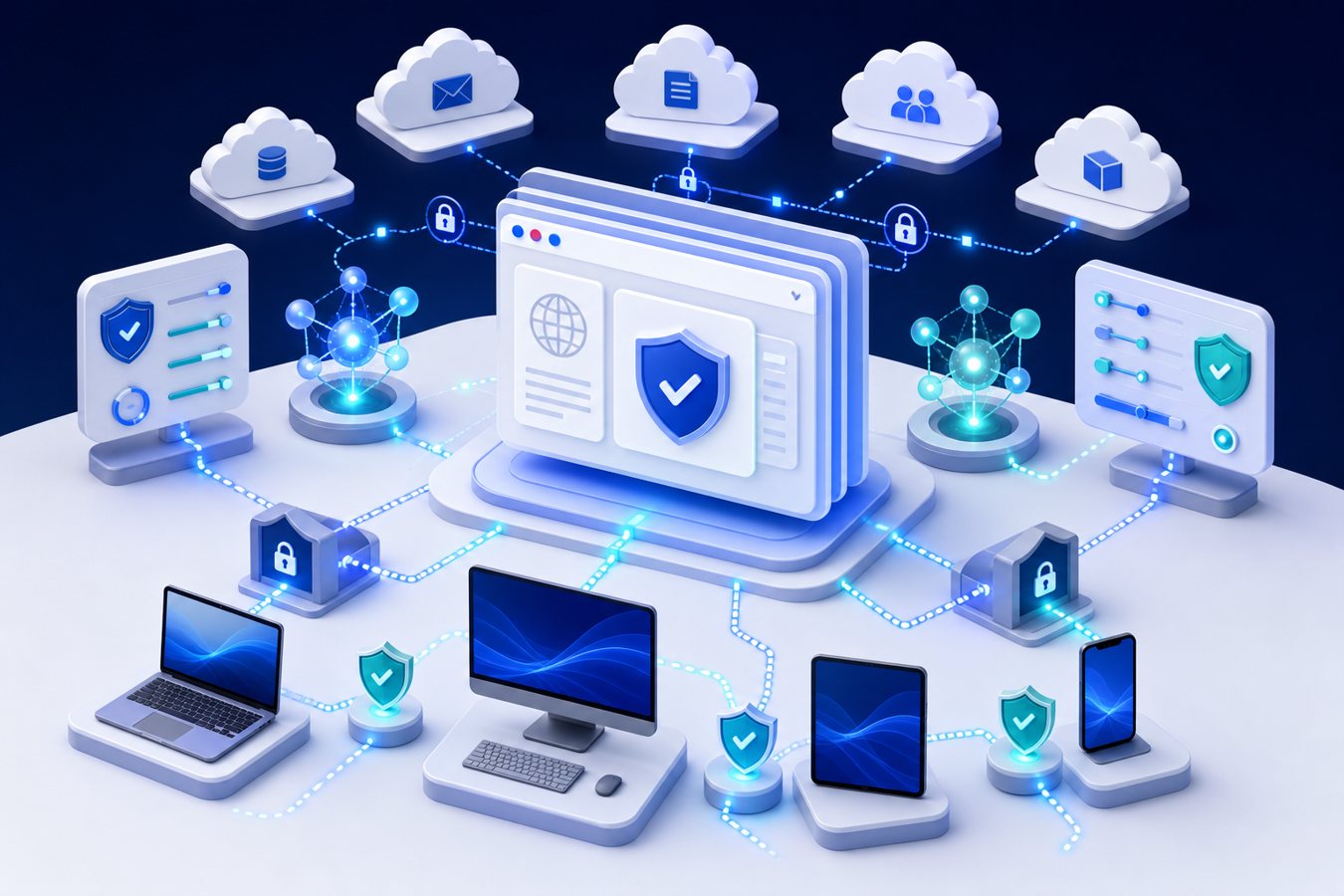
    Enterprise IT leaders reviewing browser security and SaaS access controls

    For CIOs and IT leaders, the secure enterprise browser trend is not about replacing every endpoint security tool. It is about closing a fast-growing gap between identity, endpoint, SaaS, data loss prevention, and AI governance. Traditional controls were designed when applications were installed locally, networks had clearer boundaries, and browser activity was mostly treated as web traffic. In 2026, that model is no longer sufficient for many enterprises.

    Why Secure Enterprise Browsers Matter Now

    The current market shift is being driven by three pressures. First, SaaS has become the operational backbone for most departments. Second, hybrid work has made unmanaged and lightly managed access patterns more common. Third, AI assistants and agentic workflows are adding new ways for sensitive information to move through browser sessions. A user can paste customer data into an AI tool, authorize a risky browser extension, download regulated files to an unmanaged device, or grant OAuth access to a shadow application without triggering the same controls that protect traditional infrastructure.

    A secure enterprise browser provides policy enforcement directly where many of these actions happen. Depending on the platform and architecture, it may support controls such as copy-and-paste restrictions, upload and download governance, browser extension management, session recording for high-risk workflows, phishing protection, SaaS posture checks, and user coaching at the point of action. The strategic value is not the browser itself; it is the ability to apply context-aware security to real business workflows without forcing every user through a heavy virtual desktop or network tunnel.

    The Enterprise Impact: AI, SaaS, and Data Exposure

    Enterprise AI adoption has made browser governance more urgent. Many AI tools are accessed through web interfaces, embedded into productivity suites, or connected through SaaS integrations. Security teams may have visibility into sanctioned platforms, but business units often experiment faster than governance processes can adapt. A secure enterprise browser can help enterprises enforce acceptable-use policies, warn users before sensitive data is submitted, and distinguish between approved AI services and unsanctioned destinations.

    Consider a realistic scenario: a finance analyst working from a personal device accesses a cloud-based reporting platform, downloads a spreadsheet containing supplier payment details, and pastes a subset of that information into an AI assistant to summarize anomalies. The user is trying to be productive, not malicious. But the business risk is still real: regulated data may leave approved systems, audit trails may be incomplete, and incident responders may not know exactly what information was exposed. Browser-level controls can reduce that risk by enforcing download policy, blocking sensitive paste events, or routing the session through a managed workspace.

    Risks of Ignoring Browser-Level Governance

    Enterprises that treat browser security as a minor endpoint setting may miss a growing class of operational and compliance risks. The most common issues are not exotic; they are everyday workflow gaps that become serious when scaled across departments, contractors, and external partners.

    • Shadow AI and shadow SaaS: Teams adopt tools before security, legal, and procurement teams can evaluate them.
    • Data leakage through routine actions: Copy, paste, print, upload, screen capture, and local download workflows can bypass network-focused controls.
    • Browser extension exposure: Extensions can request broad permissions, collect browsing data, or create a supply-chain risk inside the user workspace.
    • Inconsistent contractor access: Third parties may need SaaS access without receiving fully managed corporate endpoints.
    • Audit and forensics blind spots: Security teams may see an authentication event but lack detail on what happened inside the session.
    Key takeaway: Secure enterprise browser adoption is accelerating because it addresses risk at the workflow layer. It gives IT and security teams a practical way to govern SaaS, AI usage, data movement, and third-party access without relying only on network location or device ownership.

    Where It Fits in the Security Architecture

    A secure enterprise browser should not be evaluated as a standalone product category in isolation. It should be mapped against identity, endpoint management, cloud security, data loss prevention, and managed detection and response. The strongest use cases usually appear where existing controls are weakest: unmanaged devices, contractor access, high-risk SaaS workflows, and sensitive AI interactions.

    Enterprise challengeTraditional approachSecure enterprise browser value
    Contractor access to SaaSVPN, temporary accounts, or virtual desktopPolicy-controlled browser session with reduced device trust requirements
    AI data exposureUser policy documents and DLP at limited control pointsReal-time warnings or restrictions when sensitive data is pasted or uploaded
    Risky extensionsManual browser settings or endpoint policyCentral extension inventory, approval rules, and permission governance
    Unmanaged devicesBlock access or accept reduced visibilityConditional browser workspace with session and data controls
    SaaS incident responseIdentity logs and application logsAdditional browser-session context for high-risk workflows
    Zero trust browser governance for cloud applications and AI workflows

    Best Practices for Enterprise Adoption

    The right implementation model depends on the enterprise’s risk profile, regulatory obligations, and workforce design. A bank, a healthcare organization, and a professional services firm may all need browser governance, but they will prioritize different policies. The goal is to reduce material risk without creating a productivity tax that pushes users toward workarounds.

    1. Start with high-value workflows, not every user

    Begin with workflows involving sensitive data, elevated access, external users, or AI-enabled productivity. Examples include finance approvals, customer data exports, HR systems, administrator portals, and vendor access to project platforms. This lets IT prove value before attempting a broad deployment.

    2. Integrate with identity and conditional access

    Browser controls are strongest when they use identity context. Policies should account for user role, device status, location, application sensitivity, MFA strength, and session risk. This allows enterprises to step up controls for risky sessions while keeping normal work efficient.

    3. Govern browser extensions as software supply chain

    Browser extensions can be useful, but they also create a governance problem. Enterprises should inventory extensions, classify permissions, approve business-critical tools, and remove unnecessary or high-risk add-ons. Extension governance belongs in the same conversation as SaaS risk management and endpoint hardening.

    4. Define AI usage controls clearly

    AI policy must be more than a document. IT and security leaders should define which AI tools are approved, what types of data may be entered, which departments require additional controls, and how exceptions are reviewed. Browser-based coaching can help employees make safe decisions at the moment of use.

    5. Monitor operational impact

    Security programs fail when controls interrupt critical work without explanation. Track help desk tickets, blocked actions, user feedback, and exception requests. Use that data to tune policies, simplify onboarding, and focus stricter controls on genuinely sensitive workflows.

    Enterprise Readiness Checklist

    • Identify SaaS applications that handle regulated, financial, customer, or intellectual property data.
    • Document where employees and contractors use unmanaged or lightly managed devices.
    • Inventory browser extensions and classify permission levels.
    • Map AI tools currently used by departments, including unsanctioned tools discovered through logs or surveys.
    • Define policies for upload, download, copy, paste, print, and screen capture in sensitive workflows.
    • Align secure browser controls with conditional access, MFA, endpoint management, and MDR monitoring.
    • Pilot with one or two business units before expanding enterprise-wide.
    • Create an exception process so productivity needs are reviewed instead of bypassed.

    How QuickMSP Can Help

    QuickMSP helps organizations evaluate browser security in the context of the full enterprise environment, not as a disconnected tool purchase. That includes reviewing Microsoft 365 and SaaS access patterns, identity controls, endpoint posture, backup and recovery dependencies, logging requirements, and practical operating procedures for IT teams. For many businesses, the immediate opportunity is to identify high-risk browser workflows and build a manageable roadmap rather than attempting a disruptive all-at-once rollout.

    Secure enterprise browser strategy should support business outcomes: safer AI adoption, more controlled SaaS access, better contractor enablement, and stronger evidence for compliance or cyber insurance reviews. When implemented correctly, it becomes part of a modern resilience program rather than another isolated security product.

    Ready to assess browser and SaaS risk?

    QuickMSP can help your team review browser-based workflows, identity controls, SaaS exposure, and AI usage policies, then build a practical roadmap for secure adoption. Contact QuickMSP to schedule an enterprise IT security assessment.


  • AI Data Loss Prevention for Enterprise Copilots | QuickMSP

    AI Data Loss Prevention for Enterprise Copilots | QuickMSP

    AI Data Loss Prevention: Why Enterprise Copilots Need a New Security Operating Model

    Enterprise AI adoption has moved from experimentation to daily operations. Copilots, AI assistants, workflow agents, and embedded AI features are now appearing across productivity suites, CRM platforms, service desks, developer tools, finance systems, and support environments. That creates a practical security question for CIOs and business leaders: can the organization control what sensitive data AI tools can find, summarize, copy, export, or expose?

    The answer increasingly depends on a modern AI data loss prevention operating model. Traditional DLP programs were designed around email attachments, endpoint files, cloud storage links, and known content patterns. Enterprise copilots introduce a different challenge: they can reason across permissions, retrieve context from multiple systems, and generate new outputs that may blend confidential information with seemingly routine business language. The risk is not simply that someone uploads a file to an unapproved chatbot. The larger concern is that approved AI tools can surface over-permissioned data faster than humans ever could.

    For QuickMSP clients and similar enterprise environments, this is now a board-level issue rather than a niche security project. AI can accelerate work, but only if identity, data classification, monitoring, and governance are mature enough.

    Abstract AI data flows passing through enterprise DLP and policy controls

    The Current Market Shift: AI Is Becoming a Data Access Layer

    Most enterprises already have sensitive information spread across Microsoft 365, SharePoint, Teams, OneDrive, Google Workspace, Salesforce, ServiceNow, line-of-business applications, file shares, and third-party SaaS platforms. For years, the main control challenge was managing where that data lived and who had access. AI copilots change the equation because they sit above those systems and make information easier to discover, summarize, and repurpose.

    This shift is happening because enterprise software vendors are embedding AI directly into the tools employees already use. Instead of visiting a separate AI portal, staff can now ask questions inside collaboration suites, sales systems, ticketing platforms, business intelligence tools, and developer workspaces. That convenience is valuable, but it also makes weak access governance visible. If a department folder, historic contract library, acquisition workspace, or HR archive is accessible to too many users, an AI assistant may be able to surface it in seconds.

    Why Enterprises Should Care Now

    The timing matters because AI rollouts are moving faster than traditional governance cycles. Many organizations are licensing copilots before they have completed permission reviews, data mapping, retention cleanup, or SaaS monitoring improvements. Finance leaders see productivity potential. Operations leaders want faster knowledge retrieval. IT leaders are asked to enable new functionality quickly. Security teams are then left to retrofit controls around tools that are already in use.

    The business impact can be significant:

    • Confidential data exposure: AI may summarize sensitive contracts, payroll files, customer records, legal material, source code, or acquisition documents when permissions are too broad.
    • Regulatory and contractual risk: Data residency, privacy obligations, client confidentiality terms, and retention rules still apply when AI systems process information.
    • Operational confusion: Employees may treat AI-generated summaries as authoritative even when the source data is outdated, incomplete, or outside their role.
    • Incident response complexity: Security teams need to understand not only which file was accessed, but whether an AI tool summarized, transformed, or reused the information.
    • Reputation risk: A single AI-assisted disclosure can damage trust with clients, partners, employees, and regulators.

    Enterprise Scenario: The Over-Permissioned Knowledge Base

    Consider a multi-location business that enables an enterprise copilot across its productivity suite. The tool is approved, licensed, and integrated with existing user permissions. An operations manager asks the assistant to prepare a briefing on vendor performance. The response includes details from contract negotiations, legal correspondence, and pricing concessions stored in an old project site that was never properly restricted.

    No attacker breached the environment. The AI system did exactly what it was allowed to do: retrieve and summarize accessible data. That is why AI data loss prevention requires data governance, least privilege, monitoring, employee guidance, and managed security operations.

    Risks of Ignoring AI Data Loss Prevention

    Enterprises that delay governance often discover the problem only after a sensitive output appears in a meeting, email, ticket, or customer-facing document. Common failure patterns include:

    • Permission sprawl: Legacy groups, shared folders, and broad collaboration links give AI tools too much reach.
    • Unclassified data: Sensitive documents lack labels, retention rules, or handling guidance.
    • Shadow AI: Employees copy internal data into unapproved AI tools because approved options are not clear or useful enough.
    • Disconnected controls: Endpoint, identity, email, SaaS, and DLP alerts are reviewed separately, making AI-related activity hard to correlate.
    • Weak exception handling: Business teams pressure IT to allow AI access broadly without documenting risk acceptance or compensating controls.

    Key Takeaway

    Enterprise copilots do not create data governance problems from nothing. They expose existing permission, classification, and monitoring gaps at AI speed. The organizations that benefit most from AI will be the ones that modernize data controls before scaling access.

    A Practical AI Data Loss Prevention Framework

    Control Area Enterprise Action Business Outcome
    Identity and access Review groups, guest access, privileged roles, and stale collaboration permissions before enabling AI broadly. Reduces the chance that copilots surface information outside an employee’s role.
    Data classification Apply sensitivity labels, retention policies, and handling rules to high-value repositories. Creates consistent rules for confidential, regulated, and client-sensitive information.
    DLP and SaaS controls Extend DLP policies to browsers, endpoints, cloud apps, and approved AI interfaces where supported. Prevents sensitive data from moving into unmanaged tools or inappropriate channels.
    Monitoring and response Correlate identity, file access, endpoint, email, and SaaS signals in a managed detection workflow. Improves investigation speed when AI-related data exposure is suspected.
    User enablement Publish clear guidance on approved tools, restricted data types, review expectations, and escalation paths. Reduces shadow AI use while supporting productivity goals.

    Recommended Best Practices for 2026 AI Rollouts

    1. Start With High-Risk Repositories

    Do not begin with a theoretical enterprise-wide data map. Start with the places where exposure would hurt most: executive folders, finance workspaces, HR content, legal records, customer contracts, M&A documents, source code, and regulated data stores. Validate owners, remove stale access, and confirm that sensitive information is labeled appropriately.

    2. Treat Copilot Readiness as an Identity Project

    AI security is inseparable from identity governance. Conditional access, multi-factor authentication, role design, privileged account controls, guest access reviews, and group hygiene all influence what AI systems can retrieve. If a user can reach the data, a connected assistant may be able to reason over it.

    Enterprise security operations team monitoring SaaS identity endpoint and AI assistant activity

    3. Create AI-Specific DLP Policies

    Existing DLP policies may need adjustment for AI workflows. Enterprises should define which data types can be used with approved assistants, which actions require warnings, and which must be blocked.

    4. Monitor for Patterns, Not Just Files

    Security teams should look for patterns such as unusual document access before AI prompts, sensitive data copied into browser sessions, downloads followed by uploads to unsanctioned platforms, or employees querying repositories outside their normal role. A managed detection and response model can help correlate these signals across tools instead of leaving them buried in separate consoles.

    5. Build a Business Approval Process

    AI exceptions should be documented like any other material technology risk. Business owners should define the use case, benefit, data scope, controls, and review schedule.

    Enterprise Checklist for AI Data Loss Prevention

    • Identify approved AI tools and block or monitor unsanctioned alternatives.
    • Review access to sensitive SharePoint, Teams, file share, CRM, ERP, and service desk repositories.
    • Apply or improve sensitivity labels for confidential and regulated data.
    • Update acceptable use policies for AI prompts, summaries, exports, and customer-facing content.
    • Integrate AI-related activity into security monitoring and incident response procedures.
    • Train employees on what data can and cannot be used with AI assistants.
    • Schedule recurring permission and policy reviews as AI features evolve.

    How QuickMSP Helps Enterprises Move Safely

    QuickMSP helps organizations adopt modern IT capabilities without creating unmanaged risk. For AI-enabled workplaces, that means aligning productivity goals with cybersecurity, identity, endpoint management, cloud governance, backup resilience, and ongoing monitoring. The objective is not to slow AI adoption. It is to make sure AI is deployed on top of a secure, supportable operating model.

    Our team can help assess Microsoft 365 and SaaS permissions, review data exposure risks, strengthen identity controls, improve DLP policies, support managed detection workflows, and build practical governance steps that business leaders can understand. That combination is especially important for enterprises that need to move quickly but cannot afford avoidable data exposure.

    Final Recommendation

    Enterprise copilots are becoming a normal part of business operations. The security model needs to evolve just as quickly. Organizations should treat AI data loss prevention as a cross-functional program involving IT, security, legal, compliance, operations, and finance. The most successful teams will not wait for a data incident to reveal where permissions, labels, and monitoring are weak. They will prepare now, deploy AI in controlled phases, and keep governance aligned with business value.

    Ready to strengthen your AI security posture? Contact QuickMSP to review your Microsoft 365, SaaS, identity, and data protection environment and build a practical roadmap for secure enterprise AI adoption.

  • Non-Human Identity Security: Why API Tokens and AI Agents Are a 2026 Enterprise Risk

    Non-Human Identity Security: Why API Tokens and AI Agents Are a 2026 Enterprise Risk

    Enterprise security programs have spent years improving human identity controls: MFA, conditional access, privileged access management, and user lifecycle governance. In 2026, the bigger blind spot is increasingly the identity that never logs in through a browser. API tokens, service accounts, automation scripts, workload identities, SaaS integrations, robotic process automation, and AI agents now perform business-critical actions across cloud platforms and collaboration systems. These non-human identities can read mailboxes, move files, trigger workflows, create tickets, deploy infrastructure, and connect financial, HR, and customer data systems.

    That shift makes non-human identity security a board-relevant operational issue rather than a niche IAM topic. As enterprises accelerate AI adoption and connect more platforms through APIs, the number of machine credentials often grows faster than IT can inventory, govern, rotate, or revoke them. The risk is not theoretical: a single over-permissioned token can bypass many of the protections built for employees, especially when it is stored in a script, forgotten in a SaaS connector, or reused across environments.

    Executive takeaway: Treat non-human identities with the same seriousness as privileged users. If an API token or AI agent can access sensitive systems, it needs ownership, least privilege, monitoring, lifecycle controls, and documented business justification.

    The Market Shift: Automation and AI Are Creating a New Identity Layer

    Modern enterprises are no longer built around users manually accessing applications. Business processes now depend on systems acting on behalf of people, departments, and applications. A finance workflow may pull invoices from email, enrich records in an ERP platform, and notify managers in Microsoft Teams. A security automation platform may quarantine endpoints, disable accounts, and open tickets. An AI assistant may summarize documents, search knowledge bases, or trigger downstream actions through plugins and connectors.

    Each of these workflows requires some form of identity. Sometimes it is a formal workload identity in a cloud platform. Sometimes it is a service account in Microsoft 365 or Google Workspace. Often it is an API key, OAuth grant, shared secret, webhook token, certificate, or long-lived credential stored inside a third-party tool. The enterprise impact is clear: identity governance is expanding from “who has access?” to “what has access, why, where is the credential, who owns it, and what can it do?”

    This matters now because three forces are converging:

    • AI agents and copilots are moving from pilots to production. They require controlled access to enterprise data and often integrate with SaaS, ticketing, document, and communication systems.
    • SaaS integration sprawl is accelerating. Business units can connect tools quickly, while security teams may lack visibility into delegated permissions and persistent tokens.
    • Attackers increasingly target credentials that avoid traditional user security. Non-human credentials may lack MFA, password policies, and timely removal after projects end.
    Cloud identity governance dashboard showing API tokens SaaS applications and secrets management
    Cloud identity governance dashboard showing API tokens SaaS applications and secrets management

    Why Enterprises Should Care

    Non-human identities are operationally powerful. They are also easy to under-govern because they do not fit neatly into HR-driven joiner, mover, leaver processes. No employee termination event automatically disables a forgotten API key. No help desk ticket necessarily documents a token embedded in a legacy reporting script. No manager may know that a SaaS connector still has broad read access to customer records.

    For CIOs and operations leaders, the issue is not simply security hygiene. It affects uptime, compliance, audit readiness, vendor risk, incident response, and the safe deployment of AI-enabled business processes.

    Common Enterprise Scenarios

    • AI productivity rollout: A department deploys an AI assistant that connects to document repositories, ticketing queues, and CRM records. Without scoped permissions, the assistant may surface sensitive information to users who should not see it.
    • Legacy automation: A service account created years ago runs nightly reports. It has broad access because nobody wanted the workflow to break, but no one can identify the business owner.
    • SaaS connector risk: A marketing or sales platform retains OAuth permissions after a vendor relationship changes, leaving persistent access that is not reviewed during normal user audits.
    • Cloud deployment pipeline: A long-lived token used by CI/CD tooling has infrastructure privileges across development and production environments.

    Risks of Ignoring Non-Human Identity Security

    When non-human identities are not governed, organizations inherit hidden risk that can be difficult to detect until an incident occurs. The most serious exposure typically comes from combinations of excessive permissions, unclear ownership, poor logging, and long credential lifetimes.

    Risk Area Enterprise Impact Practical Control
    Orphaned service accounts Persistent access after projects, employees, or vendors change Assign owners, review quarterly, disable unused identities
    Over-permissioned API tokens Lateral movement, data exposure, unauthorized changes Use least privilege, scoped tokens, and just-in-time access where possible
    Unmonitored AI agents Inappropriate data access or automated actions without clear accountability Log agent actions, restrict connectors, require approval for sensitive workflows
    Secrets in scripts or repositories Credential theft and difficult incident containment Use secrets management, scanning, rotation, and environment-based injection
    Weak lifecycle management Audit gaps and unreliable access removal Integrate non-human identities into IAM governance and change management

    A Practical Framework for Non-Human Identity Governance

    Enterprises do not need to solve every identity challenge at once. The most effective starting point is a structured program that prioritizes discovery, classification, and high-risk access. The objective is to create an operating model that security, infrastructure, application, and business teams can follow consistently.

    1. Build an Inventory of Machine and Application Identities

    Start by identifying where non-human credentials exist. This should include cloud IAM roles, service accounts, API keys, OAuth grants, certificates, CI/CD tokens, webhooks, robotic process automation accounts, database credentials, and AI platform connectors. Inventory should capture the system, owner, purpose, permission scope, credential type, creation date, last-used date, and rotation policy.

    2. Classify Identities by Business Criticality and Blast Radius

    Not every token has the same risk. A read-only integration for a public analytics feed is different from a credential that can access executive email, customer data, backups, or production infrastructure. Classify non-human identities based on data sensitivity, privilege level, external exposure, and dependency criticality.

    3. Apply Least Privilege and Scope Reduction

    Many machine identities are granted broad permissions because it is faster during implementation. That shortcut becomes long-term risk. Replace broad roles with scoped permissions, separate development and production access, restrict cross-tenant access, and remove unused API scopes. Where supported, use short-lived credentials instead of permanent secrets.

    4. Formalize Ownership and Change Control

    Every non-human identity should have a named business or technical owner. Ownership cannot be a generic mailbox. The owner should be responsible for approving access, validating continued need, coordinating rotation, and participating in incident response. New high-risk integrations should require security review before deployment.

    5. Monitor Behavior, Not Just Existence

    Visibility must go beyond a spreadsheet. Enterprises should monitor token usage, anomalous access patterns, impossible geographies, unusual data volume, privilege changes, failed API calls, and activity outside expected schedules. For AI agents, logs should show what data sources were accessed and what actions were taken.

    Enterprise IT team reviewing secure automation workflows and non-human identity audit trails
    Enterprise IT team reviewing secure automation workflows and non-human identity audit trails

    Enterprise Checklist: What to Review This Quarter

    • Do we have a current inventory of service accounts, API keys, OAuth apps, and AI agent connectors?
    • Can we identify a responsible owner for every privileged non-human identity?
    • Which tokens or service accounts have not been used recently and can be disabled?
    • Are high-risk credentials stored in a managed secrets platform rather than scripts, desktops, or repositories?
    • Are API scopes and permissions aligned with actual business need?
    • Do logs distinguish between user actions, application actions, automation actions, and AI agent actions?
    • Are non-human identities included in access reviews, audits, incident response plans, and vendor offboarding?
    • Can we quickly revoke or rotate credentials during a suspected compromise?
    Key takeaway: The next phase of Zero Trust is not only about verifying users. It is about verifying every identity that can access enterprise data, trigger business workflows, or modify infrastructure—including automation and AI agents.

    How QuickMSP Helps Enterprises Reduce This Risk

    QuickMSP helps organizations bring structure, visibility, and operational discipline to modern identity and security programs. For enterprises adopting AI tools, expanding Microsoft 365 integrations, modernizing cloud operations, or tightening compliance controls, non-human identity governance should become part of the broader managed security and IT operations roadmap.

    Our team can support practical steps such as identity discovery, access review preparation, service account cleanup, cloud and SaaS security hardening, Microsoft 365 governance, backup and business continuity alignment, secure remote access design, and ongoing monitoring processes. The goal is not to slow innovation. The goal is to make automation, AI adoption, and SaaS integration safer, more accountable, and easier to manage over time.

    Final Thoughts

    Non-human identities now power automation, AI adoption, and the integrations modern enterprises depend on. Without governance, they create a quiet and expanding attack surface. Organizations that inventory, own, monitor, and rotate these identities will be better positioned to scale AI-enabled operations securely in 2026.

    Ready to strengthen identity governance across your cloud, SaaS, and AI-enabled workflows? Contact QuickMSP to discuss a practical security review and modernization plan tailored to your enterprise environment.

  • OAuth Redirect Abuse Is Turning Trusted Sign-In Links Into a 2026 Enterprise Risk

    OAuth Redirect Abuse Is Turning Trusted Sign-In Links Into a 2026 Enterprise Risk

    Enterprise security teams have spent years teaching employees to distrust unfamiliar domains, shortened URLs, and suspicious attachment links. In 2026, that guidance is no longer enough. A growing class of attacks is abusing legitimate OAuth redirection behavior so a malicious journey can begin at a trusted identity provider URL and still end at a phishing kit, malware page, or attacker-controlled landing site.

    Microsoft reported in March 2026 that threat actors were using OAuth redirection techniques in phishing and malware campaigns, including flows that routed users through trusted identity platforms such as Microsoft Entra ID and Google Workspace before redirecting them elsewhere. The important enterprise lesson is that this is not simply another email-filtering problem. It is an identity governance, SaaS application control, browser protection, and detection-engineering problem that cuts across Microsoft 365, cloud applications, and user awareness.

    For CIOs, IT managers, finance leaders, and operations executives, OAuth redirect abuse matters because it weaponizes confidence in the same sign-in experiences employees use every day. If the organization’s control model assumes that a link beginning with a trusted identity domain is safe, attackers can exploit that assumption. QuickMSP sees this as a timely reason for enterprises to modernize identity security beyond basic MFA and URL blocklists.

    What changed: attackers are exploiting trusted identity workflows

    Modern corporate identity governance visual showing connected SaaS applications and access controls.

    OAuth is a standard protocol for delegated access. It allows users and applications to authorize access without sharing passwords directly. In normal business use, OAuth enables integrations between platforms such as Microsoft 365, Google Workspace, Salesforce, Slack, finance systems, document platforms, and line-of-business applications.

    The same flexibility creates room for abuse. Attackers can register applications, configure redirect destinations, and craft authorization URLs that appear to start from a recognizable identity provider. In some observed techniques, invalid scopes or error conditions force a redirect to attacker infrastructure. In others, the attacker uses the legitimacy of the sign-in domain to lower suspicion before sending the user to a credential-harvesting page or malware delivery site.

    The enterprise impact is significant: employees may see a familiar Microsoft or Google sign-in path, security tools may initially classify the link as less suspicious, and help desks may receive reports that are difficult to triage because the first URL in the chain looks legitimate. This is why OAuth redirect abuse should be treated as part of a broader SaaS and identity attack surface, not as an isolated phishing variation.

    Why enterprises should care now

    Three market shifts make this issue urgent in 2026. First, most enterprises now run on many SaaS platforms connected through identity providers and third-party integrations. Second, attackers are increasingly using legitimate cloud and identity infrastructure to make malicious activity look routine. Third, organizations are adopting AI copilots and workflow automation that depend on the same identity and API ecosystems. The more automated and interconnected the environment becomes, the more valuable trusted authorization paths become to an attacker.

    Consider a finance team that receives a document approval message appearing to route through a standard cloud sign-in page. The user follows the link, sees familiar branding, and is redirected to a convincing invoice review portal. Even if tokens are not stolen in that exact flow, the user can still be pushed toward credential entry, malware download, or social engineering. Now consider the same scenario involving an executive assistant, a procurement manager, or a privileged IT administrator. The business risk is no longer theoretical; it is operational.

    Business risks of ignoring OAuth redirect abuse

    • Credential compromise and account takeover: Trusted-looking sign-in paths can make employees more likely to enter credentials or approve prompts.
    • Malware delivery through approved workflows: Attackers can use document, meeting, e-signature, or HR-themed lures that resemble normal business processes.
    • False confidence in domain reputation: Security tools that evaluate only the first domain may miss the risk introduced by redirect chains.
    • Help desk and SOC overload: Analysts must investigate multi-stage URLs, identity signals, browser events, and endpoint activity rather than a single suspicious email.
    • Vendor and SaaS exposure: Poorly governed third-party applications increase the number of places where redirect behavior and consent flows can be abused.
    • Executive and finance fraud risk: The most convincing attacks often target approval chains, payment workflows, and document review processes.

    A practical enterprise framework for reducing exposure

    Enterprise security operations dashboard concept for redirect-chain monitoring and identity detection.

    Enterprises should respond with layered controls. The goal is not to disable OAuth or slow down business integrations; it is to govern where authorization paths can lead, which applications are trusted, and how suspicious redirect behavior is detected.

    Control area
    What to reviewBusiness outcome
    Identity governanceApp consent policies, privileged roles, break-glass accounts, user-based service accountsReduces unmanaged authorization paths and privilege exposure
    SaaS app inventoryApproved integrations, redirect URIs, unused apps, owner accountabilityImproves visibility across Microsoft 365 and connected cloud platforms
    Email and browser defenseURL detonation, redirect-chain inspection, attachment scanning, safe links policiesDetects attacks that begin with trusted domains but end elsewhere
    Endpoint and XDR telemetryBrowser launches, downloaded archives, script execution, anomalous sign-in activityConnects phishing evidence to device and identity behavior
    User reportingSimple reporting button, help desk triage workflow, executive-targeted awarenessShortens response time when suspicious trusted-link messages appear

    Recommended best practices for IT leaders

    1. Audit OAuth applications and consent settings

    Review which users can consent to applications, which applications have broad permissions, and which integrations lack a current business owner. Remove abandoned apps and require admin approval for higher-risk permissions. For enterprises with many departments adopting SaaS independently, this is often the fastest way to reduce blind spots.

    2. Inspect redirect chains, not just starting domains

    Email security and browser protection should evaluate the full path a user is sent through. A link that begins with a trusted identity provider can still end at a malicious site. Security teams should tune policies and investigation playbooks to capture final landing pages, intermediate redirects, URL parameters, and file downloads.

    3. Strengthen phishing-resistant authentication for privileged users

    MFA remains essential, but attackers continue to adapt around weaker authentication methods and user trust. Prioritize phishing-resistant authentication for administrators, finance approvers, executives, and users with access to sensitive data. Pair this with Conditional Access policies that consider device health, location, risk signals, and session context.

    4. Connect email, identity, endpoint, and SaaS telemetry

    OAuth redirect abuse rarely leaves evidence in only one place. The investigation may involve an email, a browser redirect, an identity-provider event, a downloaded file, and endpoint behavior. A managed detection and response model can help correlate these signals faster than a siloed toolset.

    5. Train users on the new reality of trusted-link attacks

    Awareness programs should evolve beyond “look for strange domains.” Employees need to understand that a familiar sign-in page does not automatically validate the request. Encourage users to verify unexpected document requests, meeting notices, payment approvals, and password reset prompts through known channels.

    Key takeaway: OAuth redirect abuse is a reminder that enterprise identity is now part of the attack surface. The winning strategy is governance plus detection: know which apps and redirects are trusted, inspect where links actually lead, and correlate identity activity with endpoint and email signals.

    Enterprise checklist: what to do this quarter

    Business continuity and incident response visual for identity-driven phishing threats.
    • Inventory OAuth and SaaS applications connected to Microsoft 365, Entra ID, Google Workspace, and other core business systems.
    • Restrict user consent for high-risk permissions and require administrator review for sensitive app integrations.
    • Validate that email security tools inspect redirect chains and attachments that contain identity-provider URLs.
    • Review Conditional Access policies for privileged, finance, executive, and remote workforce groups.
    • Confirm that endpoint detection captures suspicious browser launches, downloads, scripts, and archive execution.
    • Update incident response runbooks to include OAuth redirect investigation steps and SaaS app owner escalation.
    • Run a tabletop scenario involving a trusted-link phishing message sent to finance or operations leadership.

    How QuickMSP can help

    QuickMSP helps enterprises turn identity security trends into practical operational controls. Our team can assess Microsoft 365 and Entra ID configurations, review Conditional Access policies, evaluate SaaS application exposure, strengthen managed detection workflows, and align backup, endpoint, and security monitoring strategies with modern cyber insurance and compliance expectations.

    The objective is not simply to add more tools. It is to build a coordinated control plane where identity, endpoint, email, cloud, and recovery practices reinforce one another. For organizations managing hybrid work, distributed operations, or rapidly expanding SaaS portfolios, that coordination is becoming a competitive requirement.

    Final takeaway

    OAuth redirect abuse shows how quickly attackers adapt to enterprise trust models. If your policies still treat trusted sign-in domains as inherently safe, your risk model is behind the threat landscape. In 2026, enterprises need stronger app governance, redirect-chain inspection, phishing-resistant authentication, and correlated detection across Microsoft 365 and the broader SaaS ecosystem.

    Ready to assess your identity and Microsoft 365 security posture? Contact QuickMSP to review your OAuth application exposure, Conditional Access strategy, and enterprise detection readiness before trusted-link attacks become a business disruption.

  • Operationalizing Phishing-Resistant Microsoft 365 Access in the AI Threat Era

    Operationalizing Phishing-Resistant Microsoft 365 Access in the AI Threat Era

    Executive brief: Microsoft 365 has become the operating layer for modern enterprises, which also makes it one of the most attractive targets for credential theft, session hijacking, and business email compromise. In 2026, the risk is shifting from simple password compromise to token-focused phishing, device-code abuse, and adversary-in-the-middle campaigns that can bypass legacy multi-factor authentication programs. For CIOs, finance leaders, operations teams, and IT managers, the question is no longer whether MFA is enabled. The real question is whether Microsoft 365 access is resilient when attackers use convincing AI-written lures, legitimate cloud services, and stolen session tokens to operate like approved users.

    This trend matters now because recent security reporting from Microsoft and law enforcement warnings around phishing-as-a-service platforms show a clear enterprise impact: attackers are industrializing Microsoft 365 access attacks. They are not only stealing passwords; they are capturing tokens, abusing OAuth flows, and using trusted collaboration patterns to move from mailbox access to invoice fraud, data theft, and lateral discovery. Organizations that treat MFA as a completed project may find that their control set was designed for yesterday’s attack path.

    The market shift: from credential theft to access-token compromise

    Traditional phishing campaigns tried to convince users to type a password into a fake login page. That threat still exists, but enterprise attackers are increasingly optimizing for authenticated access. In adversary-in-the-middle scenarios, a user may interact with a realistic login flow while the attacker captures the session token that proves authentication already happened. Device-code phishing can also exploit legitimate Microsoft authentication workflows by tricking a user into authorizing a session on another device. Once a valid token is obtained, the attacker may not need the password again.

    AI compounds the problem. Generative tools make it easier to create polished emails, clone executive tone, localize messages, and rapidly test lures against different departments. The resulting messages are less likely to look like the generic phishing examples employees were trained to spot years ago. Finance teams may see payment-process updates, HR may see policy acknowledgments, and project teams may see shared documents that match normal collaboration behavior.

    Why enterprises should care now

    Layered identity access control dashboard abstraction with secure cloud and network nodes, no text

    The business impact is broader than a single mailbox incident. Token phishing can create an operational blind spot because the sign-in may look technically successful, the device may appear compliant enough for basic policy, and the user may not immediately know anything went wrong. A compromised account can be used to monitor conversations, redirect invoices, harvest files, create malicious inbox rules, register suspicious applications, or prepare a second-stage ransomware event.

    • Finance exposure: Attackers can monitor vendor conversations, alter payment instructions, and time fraud attempts around real transactions.
    • Operational disruption: A compromised executive, administrator, or shared mailbox can delay approvals, interrupt service workflows, and trigger emergency access reviews.
    • Compliance pressure: Regulated organizations must demonstrate that access controls, logging, retention, and incident response processes are reasonable and repeatable.
    • Insurance scrutiny: Cyber insurers increasingly expect evidence of MFA, endpoint protection, backup resilience, monitoring, and incident response maturity—not simply policy statements.
    • Reputation risk: Customers and partners may judge a Microsoft 365 compromise by the business disruption it causes, not by whether the original entry point was technically sophisticated.

    Enterprise scenario: when “MFA enabled” is not enough

    Consider a regional enterprise with Microsoft 365, Teams, SharePoint, and Entra ID conditional access. MFA is enabled for employees, and the company has completed annual phishing training. An accounting manager receives a convincing message referencing a real supplier portal update. The login flow appears normal, and the employee approves access. Behind the scenes, the attacker captures a usable session and begins reviewing mailbox history. No malware is installed, so endpoint alerts are limited. The attacker creates a forwarding rule, studies invoice timing, and sends a payment-change request during a busy month-end close.

    In this scenario, the technical control that leadership believed was the finish line—basic MFA—does not fully address the modern attack. The organization needs stronger identity architecture, better telemetry, more aggressive email protections, faster detection of abnormal mailbox behavior, and a documented response plan that includes token revocation, rule inspection, OAuth app review, and financial fraud escalation.

    Recommended framework for Microsoft 365 token-phishing resilience

    Modern email threat monitoring visualization with clean panels, signal lines, and protected mailbox icons, no text

    Enterprise leaders do not need to replace every security tool at once, but they should prioritize controls that reduce token replay risk, improve visibility, and shorten response time. The following framework is a practical starting point for 2026 planning.

    Control areaWhat to modernizeBusiness outcome
    AuthenticationMove high-risk users and administrators toward phishing-resistant MFA such as FIDO2 security keys, passkeys, or certificate-based approaches where appropriate.Reduces reliance on push approvals and shared secrets that attackers can socially engineer.
    Conditional accessReview policies for risky sign-ins, unmanaged devices, impossible travel, session controls, and privileged roles.Limits where and how sensitive work can be performed.
    Email protectionUse advanced phishing detection, safe links, attachment scanning, impersonation protection, and automated message purge capabilities.Reduces user exposure and removes malicious messages after delivery when intelligence changes.
    Mailbox and OAuth monitoringAlert on suspicious inbox rules, consent grants, mass downloads, unusual forwarding, and abnormal app registrations.Finds post-compromise behavior before it becomes invoice fraud or data loss.
    Incident responseDocument playbooks for token revocation, password reset, session invalidation, rule cleanup, app review, finance notification, and legal/compliance escalation.Turns a chaotic emergency into a coordinated recovery process.
    Managed detectionCorrelate identity, endpoint, email, and cloud signals through internal SOC processes or a managed detection and response partner.Improves response speed when attacks cross multiple systems.

    Best practices for the next 90 days

    1. Identify accounts where compromise would create immediate business damage

    Prioritize executives, finance staff, IT administrators, HR, legal, procurement, and shared mailboxes. These users often have the conversations and authority attackers need to turn access into financial or operational harm. Apply stronger authentication and monitoring first where the impact is highest.

    2. Pilot phishing-resistant MFA for privileged and finance roles

    Not every workforce transition can happen overnight, but privileged access and payment workflows should not depend only on push notifications or one-time codes. A controlled pilot helps validate device compatibility, support processes, recovery procedures, and executive adoption before a broader rollout.

    3. Audit conditional access and legacy exceptions

    Many enterprises accumulate emergency exclusions, legacy protocols, service accounts, and location-based assumptions that no longer match how the business operates. Review exceptions with a risk lens. If an exception must remain, document the owner, the business reason, compensating controls, and a review date.

    4. Treat mailbox behavior as a detection surface

    Token compromise often becomes visible through actions after login: new forwarding rules, unusual searches, file access, suspicious OAuth consent, or login patterns that do not match the user’s normal behavior. Monitoring these signals is essential, especially for organizations where email is tied to approvals, contracts, and payments.

    5. Connect identity incidents to finance and operations response

    A Microsoft 365 compromise is not only an IT ticket. If a finance mailbox is involved, payment holds, vendor verification, bank notification, and executive communication may be needed quickly. Build these steps into the incident response plan before a crisis.

    Key takeaway: In 2026, enterprise Microsoft 365 security should be measured by access resilience, not simply MFA coverage. The organizations best positioned to reduce business disruption will combine phishing-resistant authentication, conditional access discipline, mailbox monitoring, and rehearsed response playbooks.

    Enterprise checklist

    Business continuity and incident response command center abstract visual with connected teams and secure workflow, no text
    • Confirm privileged accounts use phishing-resistant authentication wherever feasible.
    • Review Microsoft 365 and Entra ID sign-in logs for risky patterns and legacy access paths.
    • Disable or tightly govern legacy authentication and unmanaged service exceptions.
    • Validate email controls for link scanning, impersonation protection, and automated remediation.
    • Monitor mailbox forwarding, inbox rules, unusual OAuth grants, and suspicious app consent activity.
    • Document token revocation, session invalidation, finance escalation, and legal/compliance notification steps.
    • Test executive and finance payment-verification workflows outside email alone.
    • Review cyber insurance questionnaires against actual implemented controls and evidence.

    How QuickMSP can help

    QuickMSP helps organizations align Microsoft 365 security with real business risk. That includes identity and access reviews, Microsoft 365 hardening, conditional access planning, endpoint and email security alignment, backup and continuity considerations, and managed support for ongoing security operations. The goal is not to add complexity for its own sake. The goal is to make Microsoft 365 safer for the people, processes, and decisions that keep the business running.

    If your organization has MFA enabled but has not recently reviewed token-phishing risk, privileged access, mailbox monitoring, and incident response procedures, now is the right time to reassess. AI-assisted phishing and access-token abuse are moving faster than annual security reviews.

    Professional CTA

    Contact QuickMSP to schedule a Microsoft 365 security readiness review and identify practical steps to strengthen identity protection, reduce phishing-driven business risk, and modernize your enterprise response plan.

    Further reading

  • QR Code Phishing Is Forcing Enterprises to Modernize Microsoft 365 Email Security in 2026

    QR Code Phishing Is Forcing Enterprises to Modernize Microsoft 365 Email Security in 2026

    Executive summary: QR-code phishing, CAPTCHA-gated credential pages, and adversary-in-the-middle sign-in flows have moved from edge cases to mainstream enterprise risk. Microsoft’s recent security reporting shows attackers increasingly using link-based infrastructure, QR codes, fake verification steps, and polished compliance-themed lures to reach Microsoft 365 users and capture session tokens. For CIOs, IT managers, finance leaders, and operations teams, the message is clear: email security can no longer be treated as a static filter in front of the inbox. It must be managed as a connected control plane spanning email, identity, endpoint telemetry, user behavior, and incident response.

    This shift matters because the attacker’s objective has changed. Many campaigns are not stealing a password for later use. They are steering employees through multi-stage workflows that may include a PDF attachment, QR code, CAPTCHA pages, and a familiar Microsoft sign-in experience. When the flow is adversary-in-the-middle, a user can complete a normal-looking authentication process while the attacker captures usable tokens. That makes awareness training and basic MFA important but insufficient on their own.

    The 2026 market shift: phishing is becoming a workflow, not a message

    Enterprise email defense used to focus heavily on identifying malicious attachments, blocking known bad URLs, and training users to recognize suspicious messages. Those controls still matter, but campaigns now split risk across several steps. A message may look like a normal HR, compliance, invoice, policy, or secure document notification. The risky destination may be hidden behind a QR code, redirect chain, or CAPTCHA gate that frustrates automated scanning. By the time the user reaches the sign-in page, the experience may look routine enough to bypass skepticism.

    Recent Microsoft security research has highlighted several converging patterns: link-based phishing remains dominant, QR-code phishing has accelerated, CAPTCHA-gated phishing is increasingly used to evade analysis, and AiTM kits target organizations that rely on phishable authentication. The enterprise implication is not that every organization needs a new point product immediately. It is that Microsoft 365 security architecture needs to be reviewed as an integrated operating model rather than isolated defaults.

    Layered enterprise email security controls with cloud filtering, identity protection, and response workflows.
    Layered enterprise email security controls with cloud filtering, identity protection, and response workflows.

    Why enterprises should care

    The business risk extends beyond inbox compromise. Microsoft 365 is often the front door to email, Teams, SharePoint, OneDrive, finance workflows, customer records, and executive communications. A compromised session can support business email compromise, data theft, payroll redirection, vendor payment fraud, internal phishing, and unauthorized access to sensitive files. In distributed organizations, one successful sign-in can create confusion because the user may have completed MFA and never realized anything unusual occurred.

    Operations leaders should also care because these attacks create response complexity. A traditional “reset the password” playbook may not be enough if tokens, OAuth grants, mail-forwarding rules, inbox delegation, or persistence mechanisms remain active. Finance leaders should care because email compromise is frequently tied to payment manipulation and vendor impersonation. CIOs should care because the controls cross budget lines: email security, identity governance, endpoint management, logging, user training, and response.

    Realistic enterprise scenarios

    Scenario one: the compliance lure. A department manager receives an email claiming a policy acknowledgement is overdue. The message includes a PDF with a QR code, branded language, and a “secure review” prompt. The manager scans it from a mobile device and signs in. The attacker captures the session and quickly searches mailbox history for vendor payment patterns.

    Scenario two: the finance approval chain. A payroll employee receives a message that appears to be a secure Microsoft 365 document request. The link is protected by CAPTCHA and then presents a familiar sign-in flow. After compromise, the attacker creates subtle inbox rules and monitors executive approvals before attempting payment diversion.

    Scenario three: the hybrid workforce blind spot. A traveling executive scans a QR code from a personal device because the desktop browser blocks the link. The organization’s email gateway never sees the mobile browsing session, and conditional access policies do not fully account for device posture. The incident is discovered after suspicious SharePoint downloads appear.

    Risks of ignoring QR-code and AiTM phishing

    • False confidence in legacy MFA: SMS, push approvals, and one-time codes can still be phished or proxied in many attack flows.
    • Reduced visibility: QR codes and out-of-band mobile browsing can move users away from monitored corporate endpoints.
    • Slower incident response: Token theft, OAuth consent abuse, and inbox-rule persistence require deeper investigation than a password reset.
    • Executive and finance exposure: Attackers often use compromised mailboxes to understand relationships before attempting fraud.
    • Compliance and audit pressure: Regulators, insurers, and customers increasingly expect evidence of identity, email, backup, and response controls.

    A practical modernization framework

    Enterprises should respond with a layered model that assumes some malicious messages will reach users and some users will interact with convincing workflows. The goal is to reduce the chance of initial compromise, limit what an attacker can do with a session, and accelerate containment when suspicious activity appears.

    Control areaModern enterprise actionBusiness outcome
    Email protectionTune Microsoft Defender for Office 365 or equivalent controls for QR-code, attachment, impersonation, and URL detonation patterns.Lower probability that high-risk lures reach employees.
    IdentityPrioritize phishing-resistant MFA such as passkeys or FIDO2 keys for executives, finance, admins, and high-risk roles.Reduce token and credential theft impact.
    Conditional accessReview device compliance, location, risk-based access, session controls, and legacy protocol exposure.Make stolen access less useful to attackers.
    MonitoringCorrelate mailbox rules, impossible travel, unusual OAuth grants, risky sign-ins, and SharePoint download activity.Detect compromise earlier and reduce dwell time.
    ResponseDocument token revocation, session invalidation, mailbox audit, payment-fraud escalation, and user communication steps.Contain incidents consistently under pressure.
    Modern identity architecture showing phishing-resistant authentication and secure access controls.
    Modern identity architecture showing phishing-resistant authentication and secure access controls.

    Recommended best practices for IT and business leaders

    1. Treat phishing-resistant authentication as a roadmap, not a pilot

    Passkeys and FIDO2 security keys are becoming a practical enterprise control, especially for privileged users and high-value business functions. Start with executives, finance, IT administrators, HR, and employees with access to sensitive customer or payment data. The objective is not to switch every user overnight. It is to remove the highest-risk paths first and eliminate weak fallback methods that attackers can exploit.

    2. Review Microsoft 365 security policies against current attack behavior

    Security settings that were adequate two years ago may not reflect today’s attack chains. Review anti-phishing policies, safe links, safe attachments, impersonation protection, domain authentication, external sender handling, mailbox auditing, OAuth app consent, and conditional access. Pay special attention to gaps between desktop and mobile usage because QR campaigns often push users onto devices outside the normal inspection path.

    3. Build a finance-aware incident response playbook

    When a mailbox is compromised, the response should not stop at the user account. Teams should know when to involve finance, legal, insurance, and executive stakeholders. Payment changes, vendor requests, new inbox rules, delegated access, suspicious file sharing, and unusual forwarding should be reviewed quickly. A well-rehearsed playbook reduces confusion and prevents technical incidents from becoming business losses.

    4. Update employee training around modern lures

    Training should show employees what modern phishing looks like: QR codes, fake secure document prompts, CAPTCHA pages, HR-policy language, AI-branded tools, and realistic Microsoft sign-in pages. The goal is to help them pause, report suspicious workflows, and understand why scanning a code from work email can bypass normal protections.

    Enterprise checklist: what to review this quarter

    1. Inventory Microsoft 365 email and identity controls currently enabled.
    2. Identify users and roles that should move first to phishing-resistant MFA.
    3. Confirm token revocation and session invalidation steps are documented and tested.
    4. Audit mailbox forwarding, inbox rules, OAuth consent, and delegated access monitoring.
    5. Validate DMARC, DKIM, and SPF alignment for corporate domains and key vendors.
    6. Review mobile-device and unmanaged-device access policies for QR-driven browsing scenarios.
    7. Run a tabletop exercise involving IT, finance, and executive communications.
    8. Define what evidence leadership, auditors, or cyber insurers may request after an incident.
    Key takeaway: QR-code phishing is not just another awareness topic. It is a signal that attackers are designing multi-step workflows to bypass static email controls and phishable MFA. Enterprises should modernize Microsoft 365 security around identity resilience, cross-channel visibility, and rehearsed response.
    Executive cybersecurity dashboard visualizing email risk, suspicious links, and response readiness.
    Executive cybersecurity dashboard visualizing email risk, suspicious links, and response readiness.

    How QuickMSP can help

    QuickMSP helps organizations evaluate and strengthen the layers modern phishing campaigns target: Microsoft 365 security configuration, identity and access controls, endpoint visibility, domain and email authentication, backup resilience, monitoring, and incident response readiness. For enterprise leaders, the value is not just technical configuration. It is having a practical roadmap that connects security investments to business continuity, finance risk, compliance expectations, and day-to-day IT operations.

    If your organization relies on Microsoft 365, now is the right time to review whether your email and identity controls are prepared for QR-code phishing, CAPTCHA-gated lures, and AiTM token theft. QuickMSP can help assess the current environment, prioritize high-impact improvements, and build a modernization plan that fits your operational reality.

    Ready to strengthen your Microsoft 365 security posture? Contact QuickMSP to schedule a practical security review and identify the next steps for reducing phishing-driven business risk.

  • Cyber Insurance Readiness in 2026: Why Immutable Backups and MFA Evidence Now Matter

    Cyber Insurance Readiness in 2026: Why Immutable Backups and MFA Evidence Now Matter

    Executive summary: Cyber insurance is no longer a paperwork exercise. In 2026, it has become a practical test of whether an enterprise can prove that core security and recovery controls are operating every day. Underwriters, brokers, auditors, and boards increasingly want evidence: enforced MFA, managed endpoints, documented incident response, immutable backups, and recovery tests.

    That shift matters for IT leaders because insurance readiness now overlaps directly with operational resilience. A company may have strong policies on paper, but if administrative accounts are exempt from MFA, backup repositories can be deleted by compromised credentials, or restore procedures have not been tested under time pressure, the organization may face higher premiums, exclusions, delayed claims, or a recovery that takes far longer than the business can tolerate.

    The market shift: evidence is replacing self-attestation

    For years, many cyber insurance applications relied heavily on questionnaires. Enterprises were asked whether MFA was enabled, whether backups existed, whether endpoint protection was deployed, and whether incident response plans were documented. Those questions still matter, but the standard of proof is changing. After repeated ransomware losses and complex cloud identity breaches, the market is moving toward technical verification, tighter renewal reviews, and more explicit control expectations.

    This is especially important in Microsoft 365, cloud, and hybrid environments. Privileged access, OAuth permissions, unmanaged devices, SaaS data, and backup administration can all become part of the same incident path. If an attacker compromises identity and reaches both production systems and backup consoles, the enterprise does not just have a security problem; it has an insurability, continuity, and governance problem.

    Immutable backup architecture with secure cloud recovery layers
    Immutable backup architecture with secure cloud recovery layers

    Why cyber insurance readiness matters now

    The urgency is being driven by three converging trends. First, identity-based attacks continue to put pressure on Microsoft 365, VPN, remote access, and SaaS administration. Second, ransomware operators increasingly target backups and recovery infrastructure because that is where business leverage lives. Third, executives are under more pressure to show that resilience controls are not merely purchased, but configured, monitored, and tested.

    For CIOs and finance leaders, this changes the conversation. Cyber insurance renewal should not be treated as a last-minute form submission. It should be a readiness program that aligns IT operations, security, finance, legal, compliance, and executive leadership around measurable controls.

    A realistic enterprise scenario

    Consider a regional professional services firm with Microsoft 365, a mix of cloud and on-premises workloads, several line-of-business applications, and a small internal IT team supported by a managed services provider. The firm believes it is prepared because it has MFA, backups, and endpoint protection. During renewal, however, the insurer asks for details: Are all administrators covered by phishing-resistant or enforced MFA? Are service accounts excluded? Are backups immutable? Can restore tests be demonstrated? Are endpoint alerts reviewed after hours? Are privileged changes logged?

    The answers may reveal gaps that were invisible in a high-level security review. Some legacy accounts may bypass MFA. Backup retention may be strong, but deletion rights may be too broad. SaaS data may not be protected to the same standard as servers. Incident response contacts may be documented, but not exercised. The organization is not necessarily negligent; it is experiencing the difference between having tools and proving operational control.

    Business risks of ignoring the shift

    Ignoring cyber insurance readiness creates risk beyond premiums. It can affect recovery time, customer trust, contract eligibility, audit posture, and executive confidence. The following issues are common in enterprise environments where growth, acquisitions, hybrid work, and cloud adoption have outpaced governance.

    • Coverage uncertainty: If controls are overstated or poorly documented, a claim may face additional scrutiny when the business is least able to absorb delay.
    • Operational downtime: Backups that are not immutable, isolated, or regularly tested may not support the recovery time the business expects.
    • Hidden identity exposure: Admin accounts, legacy authentication, shared accounts, and weak conditional access policies can undermine MFA claims.
    • Vendor and contract friction: Enterprise customers increasingly ask suppliers to demonstrate resilience and security controls as part of procurement.
    • Budget surprises: Late discovery of gaps can force rushed spending before renewal instead of planned modernization.
    Executive IT governance and cyber insurance evidence dashboard concept
    Executive IT governance and cyber insurance evidence dashboard concept

    A practical cyber insurance readiness framework

    Enterprises should treat cyber insurance readiness as an evidence program. The strongest approach is to map policy questions to actual technical controls, owners, logs, and recurring validation. This gives leadership a clear view of risk and helps IT teams prioritize work that improves both security and recoverability.

    Readiness areaWhat insurers and executives care aboutRecommended enterprise action
    Identity and MFAPrivileged and remote access is protected consistentlyEnforce MFA for all users, remove legacy authentication, review exclusions, and prioritize phishing-resistant methods for administrators.
    Endpoint securityDevices are monitored and suspicious activity is investigatedDeploy managed EDR, define alert ownership, and confirm coverage for servers, laptops, and high-risk systems.
    Immutable backupsRansomware cannot easily encrypt or delete recovery copiesUse immutable or logically isolated backup storage, restrict administrative rights, and separate production from backup credentials.
    Recovery testingThe organization can restore critical services within business expectationsRun scheduled restore tests, document results, validate application dependencies, and report findings to leadership.
    Incident responseRoles, escalation paths, and decision authority are clearMaintain an incident response plan, include legal and communications stakeholders, and conduct tabletop exercises.
    Evidence managementSecurity claims can be supported during renewal or after an incidentKeep configuration exports, policy screenshots, testing records, asset coverage reports, and change logs in an accessible evidence repository.

    Best practices for enterprise teams

    1. Start renewal preparation before the questionnaire arrives

    Waiting until renewal compresses security work into a short window. Instead, build a quarterly readiness review. Compare the current policy requirements against live configurations, recent changes, backup reports, and incident response updates. This makes renewal less disruptive and helps finance forecast remediation costs earlier.

    2. Validate MFA coverage, not just MFA availability

    Many environments have MFA enabled but still carry exceptions. Review global administrators, service accounts, break-glass accounts, VPN users, remote management tools, and third-party portals. Exceptions should be limited, documented, monitored, and reviewed. Where possible, move privileged access toward stronger authentication methods and conditional access policies that reflect device, location, risk, and role.

    3. Treat immutable backups as a business control

    Immutable backups are not just a storage feature. They are a business continuity control that should be tied to recovery objectives. Enterprises should confirm which systems are protected, how long recovery points are retained, who can change retention settings, and whether backup administration is separated from production administration. SaaS platforms, file shares, databases, identity configurations, and critical application data may require different protection models.

    Enterprise ransomware recovery and isolated backup restore workflow visual
    Enterprise ransomware recovery and isolated backup restore workflow visual

    4. Document restore tests in language executives understand

    A successful restore test should produce more than a technical note. It should answer business questions: Which service was restored? How long did it take? Were dependencies available? What failed? What changed afterward? This helps operations, finance, and leadership understand whether recovery time objectives are realistic or aspirational.

    5. Connect insurance readiness to vendor governance

    Managed services, cloud hosting, backup platforms, security monitoring, and SaaS vendors all influence insurability. Vendor contracts and operating procedures should clarify responsibilities for alert review, backup monitoring, incident escalation, evidence production, and recovery support. This is particularly important for enterprises that rely on multiple providers across infrastructure, security, and applications.

    Key takeaway: Cyber insurance readiness is now a practical measure of enterprise resilience. The strongest organizations can prove their controls, restore critical systems, and show leadership exactly where security investment reduces operational risk.

    Enterprise checklist for the next 30 days

    • Identify the policy renewal date and assign an internal owner for cyber insurance readiness.
    • Review MFA enforcement across Microsoft 365, VPN, remote management, privileged accounts, and third-party portals.
    • Inventory backup coverage for servers, SaaS data, databases, file shares, and business-critical applications.
    • Confirm which backup copies are immutable, isolated, or protected from administrative deletion.
    • Run at least one documented restore test for a meaningful business system.
    • Verify EDR coverage and alert response responsibilities across endpoints and servers.
    • Create an evidence folder with configuration reports, backup test results, incident response contacts, and policy documentation.
    • Brief finance and executive leadership on gaps, remediation priorities, and renewal implications.

    How QuickMSP can help

    QuickMSP helps organizations turn security and continuity requirements into practical operating controls. That includes Microsoft 365 security hardening, MFA and access governance, managed backup and disaster recovery planning, endpoint protection coordination, infrastructure hosting, SSL and domain management, and ongoing IT operations support. For enterprises preparing for cyber insurance renewal, the right partner can help translate policy requirements into evidence, remediation steps, and sustainable processes.

    Cyber insurance will continue to evolve, but the direction is clear: enterprises must demonstrate control effectiveness, not just control intent.

    Ready to assess your cyber insurance readiness? Contact QuickMSP to review your identity controls, backup posture, recovery readiness, and IT operations strategy before renewal pressure turns gaps into urgent business risk.

  • Device Code Phishing Is Turning Microsoft 365 Authentication Into an Enterprise Risk in 2026

    Device Code Phishing Is Turning Microsoft 365 Authentication Into an Enterprise Risk in 2026

    Executive summary: A new wave of device code phishing and OAuth abuse is changing the Microsoft 365 risk model for enterprises. Attackers no longer need to rely only on fake login pages. They can persuade users to approve legitimate-looking device authorization prompts, abuse trusted OAuth workflows, and use automation to move quickly once an account is compromised. For CIOs, finance leaders, and operations heads, this is not just another phishing variation. It is an identity governance issue with direct implications for business email compromise, data exposure, compliance, and operational continuity.

    The timing matters. Microsoft security reporting in 2026 has highlighted credential phishing, QR code phishing, CAPTCHA-gated campaigns, OAuth redirection abuse, and AI-enabled device code phishing as active enterprise concerns. At the same time, organizations are expanding cloud collaboration, deploying copilots and agents, and giving more business applications access to Microsoft 365 data. The result is a larger identity attack surface where the boundary between “user approved” and “attacker controlled” can become difficult to distinguish without stronger policy, monitoring, and response discipline.

    Abstract OAuth authentication flow and secure access visualization for enterprise IT

    What Is Changing in Microsoft 365 Authentication Risk?

    Traditional phishing training focused heavily on spotting fake pages, suspicious domains, and poor email formatting. Device code phishing is different because the attacker can direct the user to a legitimate Microsoft authentication page and ask them to enter a short code. OAuth abuse can also exploit the trust users place in familiar consent screens and integrations. These tactics reduce some of the visual red flags that employees were trained to notice.

    For enterprises, the bigger concern is not the code itself. It is the downstream access that can follow a successful approval. A compromised session may expose email, files, Teams conversations, SharePoint data, third-party app tokens, and executive communications. In finance or operations teams, that access can support invoice fraud, payment redirection, vendor impersonation, and sensitive document theft. In IT teams, it can become a stepping stone toward broader administrative compromise if conditional access and privilege boundaries are weak.

    Why Enterprises Should Care Now

    Microsoft 365 has become the operating layer for many organizations. It holds business communications, identity signals, collaboration content, and records of approval. That centrality makes authentication integrity a board-level resilience issue. Attackers understand this. They are targeting the flows users already trust, including device login, OAuth consent, QR code entry points, and cross-tenant collaboration scenarios.

    The enterprise impact is amplified by three current market shifts. First, hybrid work has normalized sign-ins from varied devices and networks, making unusual access harder to interpret without context. Second, AI-assisted social engineering makes lures more polished, localized, and role-specific. Third, cloud app sprawl means users may encounter consent prompts and authentication workflows more often, which can create approval fatigue.

    Key takeaway: Device code phishing is not solved by awareness training alone. Enterprises need identity policies that assume trusted authentication surfaces can still be abused, then enforce conditional access, app governance, token visibility, and rapid containment.

    Business Risks of Ignoring Device Code Phishing

    • Business email compromise: A mailbox compromise can enable invoice manipulation, executive impersonation, and vendor payment fraud.
    • Data exposure: Attackers may search SharePoint, OneDrive, Teams, and email archives for contracts, customer records, credentials, and legal documents.
    • Compliance pressure: Uncontrolled token access and weak consent governance can complicate audit readiness, breach notification analysis, and data handling obligations.
    • Operational disruption: Incident response may require account resets, token revocation, mailbox rule cleanup, forensic review, and stakeholder communications across departments.
    • Trust erosion: When attackers use real authentication services, employees may lose confidence in standard sign-in prompts, slowing legitimate work and increasing help desk load.
    Abstract identity governance dashboard with layered access controls and monitoring

    Enterprise Scenarios That Require Attention

    Scenario 1: Finance Team Approval Fatigue

    A finance manager receives a polished message that appears to come from a vendor portal and is instructed to enter a code on a Microsoft page to view an invoice. The sign-in page is legitimate, so the manager proceeds. Within minutes, the attacker has mailbox access, searches for payment terms, and creates forwarding rules. The business risk is not limited to one account; it can become a payment integrity and vendor trust issue.

    Scenario 2: IT Admin Consent Drift

    An IT team has accumulated years of application consents, legacy service accounts, and broad OAuth permissions. A compromised user authorizes an application that appears harmless but requests access to mail or files. Without app governance and consent review, the security team may not identify the risky grant until suspicious access patterns appear.

    Scenario 3: Hybrid Workforce Noise

    Employees sign in from home networks, mobile devices, shared workspaces, and travel locations. If conditional access policies are overly permissive or poorly tuned, the organization may struggle to distinguish legitimate remote work from suspicious token use. Attackers benefit from this ambiguity, especially when monitoring is reactive rather than continuous.

    Recommended Best Practices

    Enterprises should treat device code phishing as part of a broader identity control modernization program. The goal is to reduce risky approvals, limit blast radius, and shorten response time when compromise occurs.

    1. Review device code flow policies. Evaluate whether device code authentication is necessary for the workforce and restrict it where business use cases do not justify the risk.
    2. Strengthen conditional access. Apply risk-based access controls, device compliance requirements, location context, session controls, and step-up authentication for sensitive actions.
    3. Move beyond basic MFA. Prioritize phishing-resistant authentication such as passkeys or certificate-based approaches for executives, finance, IT administrators, and high-risk users.
    4. Govern OAuth consent. Limit who can consent to applications, review high-permission grants, monitor publisher verification, and remove stale integrations.
    5. Monitor token and mailbox behavior. Watch for suspicious inbox rules, impossible travel, anomalous app access, mass downloads, unusual Graph API activity, and repeated device code events.
    6. Prepare incident response playbooks. Include token revocation, session invalidation, mailbox rule review, app consent cleanup, endpoint checks, and finance fraud controls.
    7. Update user guidance. Train employees to treat unexpected device login codes and consent prompts as high-risk events, even when the page itself looks legitimate.

    Enterprise Control Framework

    Control AreaEnterprise ActionBusiness Outcome
    Authentication policyRestrict device code flow and require phishing-resistant MFA for high-risk rolesReduced account takeover risk
    Conditional accessUse risk, device compliance, location, and session controlsBetter separation of legitimate work from suspicious access
    OAuth governanceCentralize app consent, review permissions, and retire stale integrationsLower exposure from over-permissioned apps
    MonitoringCorrelate sign-in logs, mailbox rules, app activity, and data accessFaster detection and containment
    Response readinessDocument token revocation, mailbox cleanup, fraud review, and communications stepsShorter downtime and clearer accountability
    Abstract MFA incident response framework with connected enterprise systems

    Executive Checklist for the Next 30 Days

    • Inventory which users and applications require device code authentication.
    • Identify executives, finance staff, administrators, and users with broad data access for stronger authentication controls.
    • Audit OAuth application consents and remove unnecessary permissions.
    • Confirm that security teams can detect unusual device code events, risky sign-ins, and suspicious mailbox rules.
    • Test the incident response process for a Microsoft 365 account compromise, including token revocation and finance fraud escalation.
    • Refresh employee guidance around unexpected codes, QR-based login prompts, and third-party app consent screens.

    How QuickMSP Can Help

    QuickMSP helps businesses modernize Microsoft 365 security with practical identity governance, managed cybersecurity, monitoring, backup, domain, SSL, hosting, and business continuity services. For organizations concerned about device code phishing, OAuth abuse, or cloud identity drift, QuickMSP can help assess current controls, harden Microsoft 365 policies, improve detection coverage, and align incident response with business priorities.

    The most effective approach is not a one-time setting change. It is an operating model: identity policies that reflect business risk, visibility into suspicious behavior, reliable recovery processes, and executive-level accountability for cloud access. That is where a managed IT partner can help translate security requirements into sustainable day-to-day operations.

    Ready to strengthen Microsoft 365 identity security?

    Contact QuickMSP to review your Microsoft 365 authentication, conditional access, OAuth governance, monitoring, and incident response readiness before the next phishing campaign reaches your workforce.

  • Post-Quantum Cryptography Readiness Is Becoming an Enterprise IT Priority in 2026

    Post-Quantum Cryptography Readiness Is Becoming an Enterprise IT Priority in 2026

    SEO title: Post-Quantum Cryptography Readiness: Enterprise IT Priorities for 2026 | QuickMSP
    Meta description: Post-quantum cryptography is moving from standards discussion to enterprise IT planning. Learn how to assess risk, inventory cryptography, and modernize certificate and vendor governance.
    Suggested slug: post-quantum-cryptography-readiness-enterprise-it-priority-2026
    Focus keyword: post-quantum cryptography readiness

    Post-quantum cryptography readiness is no longer a distant research topic for security architects. It is becoming a practical enterprise IT planning issue because encryption decisions made today can affect systems, contracts, certificates, backups, and data archives for years. With NIST’s first finalized post-quantum encryption standards now available and major technology vendors preparing migration paths, CIOs and IT leaders have a narrow window to move from awareness to structured readiness.

    For many businesses, the risk is not that quantum computers will break production encryption tomorrow. The immediate risk is operational: organizations often do not know where cryptography is embedded, which vendors control it, which certificates are manually managed, or which data must remain confidential for a long retention period. That lack of visibility can turn a future migration into a costly emergency program.

    Why quantum-safe planning matters now

    The enterprise market is entering a transition phase. Standards are available, government and regulated-sector guidance is increasing, cloud and security vendors are evaluating post-quantum support, and procurement teams are beginning to ask whether technology partners have a migration plan. This creates a familiar pattern: the businesses that prepare early can sequence change through normal refresh cycles, while those that wait may face compressed deadlines across applications, networks, managed hosting, certificates, and vendor contracts.

    The pressure is especially relevant for organizations that hold sensitive intellectual property, financial records, healthcare data, legal documents, customer identity data, or long-lived operational records. Attackers do not need a mature quantum computer today to create exposure. The concern commonly described as “harvest now, decrypt later” is that encrypted traffic or stolen archives captured today may become readable when cryptographic capabilities change. Whether that scenario applies depends on the data’s sensitivity, retention period, and threat model, which is why enterprise assessment should start now.

    Modern cryptographic asset inventory dashboard concept for enterprise IT governance

    The enterprise impact: this is broader than TLS

    Most executives initially associate encryption with SSL certificates and browser trust. Those are important, but post-quantum readiness touches a much wider technology footprint. Cryptography is built into VPNs, identity platforms, email gateways, endpoint agents, backup systems, databases, APIs, code-signing workflows, remote access tools, and third-party SaaS integrations. In many environments, the most difficult part of the program is not replacing an algorithm; it is discovering where algorithms, certificates, keys, and dependencies exist.

    Consider a mid-market enterprise with multiple offices, Microsoft 365, a hosted ERP platform, legacy line-of-business applications, a managed backup environment, and several externally exposed customer portals. A rushed cryptography migration could affect certificate renewal processes, older network appliances, API integrations, backup restoration testing, and compliance evidence. A planned migration, by contrast, can be aligned with device lifecycle management, hosting upgrades, SSL automation, vendor reviews, and business continuity exercises.

    Key takeaway: Post-quantum readiness is not a single security project. It is an inventory, governance, vendor management, certificate lifecycle, and modernization program that should be built into the 2026 enterprise IT roadmap.

    Risks of waiting too long

    • Unknown exposure: Without a cryptographic inventory, IT teams cannot prioritize systems that protect long-lived confidential data.
    • Vendor dependency risk: SaaS, network, hosting, and security providers may follow different timelines, leaving gaps in contractual and technical readiness.
    • Certificate disruption: Manual SSL and domain processes can create outages when certificate policies, lifetimes, or algorithm support change.
    • Legacy infrastructure constraints: Older appliances and applications may not support modern cryptographic options without upgrades or replacement.
    • Audit and insurance friction: Regulated customers, cyber insurers, and enterprise partners increasingly expect demonstrable security governance, not informal assurances.

    A practical readiness framework for IT leaders

    Enterprises do not need to rip and replace encryption across the business. They need a phased program that creates visibility, reduces unmanaged risk, and positions the organization to adopt vendor-supported quantum-safe options when they are mature for each use case.

    Readiness area
    What to assessBusiness value
    Cryptographic inventoryCertificates, keys, protocols, appliances, APIs, backups, and applicationsCreates prioritization and avoids blind migration risk
    Data sensitivity mappingInformation requiring confidentiality beyond normal system lifecyclesIdentifies where “harvest now, decrypt later” matters most
    Vendor governanceCloud, SaaS, hosting, endpoint, identity, and network provider roadmapsTurns supplier uncertainty into managed procurement criteria
    SSL lifecycle automationRenewal processes, ownership, DNS validation, monitoring, and expiry alertsReduces outage risk as certificate policies evolve
    Resilience testingBackups, disaster recovery, remote access, and rollback plansEnsures cryptographic changes do not undermine continuity
    Clean certificate lifecycle and domain security automation visual for enterprise operations

    Recommended best practices for 2026

    1. Build a cryptographic asset inventory

    Start with the systems that protect externally facing services, privileged access, customer data, regulated workloads, backups, and long-retention archives. Include certificates, protocols, key ownership, renewal dates, vendor-controlled components, and known legacy dependencies. This inventory should become a maintained operational record, not a one-time spreadsheet.

    2. Classify data by confidentiality horizon

    Not every encrypted dataset carries the same future risk. A short-lived session token is different from merger documents, engineering designs, client contracts, health records, or financial archives. Prioritize systems based on how damaging disclosure would be if encrypted data became readable years from now.

    3. Ask vendors direct roadmap questions

    Procurement and renewal cycles should include targeted questions about post-quantum cryptography support, certificate management, hybrid algorithm options, standards alignment, upgrade paths, and customer responsibilities. The goal is not to demand immediate universal support; it is to identify vendors with credible migration planning and avoid being locked into unsupported platforms.

    4. Modernize SSL, DNS, and certificate operations

    Certificate lifecycle management is one of the most visible areas where cryptographic change becomes operational. Enterprises should reduce manual renewal processes, clarify domain ownership, monitor certificate expiry, and standardize validation workflows. Automation and governance today will make future algorithm transitions less disruptive.

    5. Test before migrating production systems

    When vendors introduce quantum-safe or hybrid options, test them in controlled environments first. Validate application compatibility, device performance, monitoring behavior, backup restoration, and user impact. Cryptographic upgrades can affect latency, interoperability, certificate chains, and legacy integrations, so staged testing is essential.

    Enterprise checklist: first 90 days

    • Name an executive owner for quantum-safe readiness across IT, security, compliance, and procurement.
    • Create an initial inventory of internet-facing certificates, VPNs, identity systems, backups, databases, and critical SaaS platforms.
    • Identify datasets with confidentiality requirements that extend beyond three to five years.
    • Add cryptography roadmap questions to vendor reviews and renewal discussions.
    • Review SSL, domain, and DNS ownership to eliminate unmanaged renewal risk.
    • Document legacy systems that may require upgrade, isolation, or replacement before future algorithm changes.
    • Include cryptographic change scenarios in disaster recovery and business continuity planning.
    Enterprise vendor governance network visual for quantum-safe readiness planning

    How QuickMSP can help

    QuickMSP helps enterprises turn security trends into manageable operational programs. For post-quantum cryptography readiness, that means helping organizations assess exposure, improve certificate and domain governance, review managed hosting and backup dependencies, evaluate vendor risk, and align remediation with broader cybersecurity and business continuity priorities.

    The right approach is pragmatic: build visibility now, reduce preventable operational risk, and prepare systems so future cryptographic upgrades can be adopted through planned change management rather than emergency response.

    Ready to assess your cryptographic readiness?

    Contact QuickMSP to review your SSL, domain, managed hosting, backup, and cybersecurity posture and build a practical roadmap for post-quantum cryptography readiness.

  • AI Brand Impersonation Is Becoming an Enterprise Security Priority in 2026

    AI Brand Impersonation Is Becoming an Enterprise Security Priority in 2026

    Executive summary: Enterprise AI adoption is now moving faster than many security operating models. Employees are testing copilots, meeting summarizers, browser extensions, coding assistants, and workflow agents because the productivity upside is real. Attackers are following that demand. Recent security reporting has highlighted a sharp shift toward AI-themed social engineering: fake AI brands, lookalike productivity tools, malicious browser extensions, rogue OAuth apps, and developer packages that imitate trusted automation.

    This makes AI brand impersonation more than a routine phishing issue. A convincing fake AI tool can collect credentials, capture session tokens, persuade staff to upload sensitive files, or introduce malicious code into a development pipeline. It can also bypass traditional approval paths because many AI tools begin as team-level experiments rather than formal enterprise platforms.

    The right response is not to ban innovation. Enterprises need a safer adoption path: approved tools, stronger identity controls, browser and endpoint governance, DNS protection, software supply-chain checks, and clear data rules for AI systems.

    The Market Shift: AI Hype Has Become Attack Infrastructure

    Threat actors have always borrowed trusted brands. What is different now is the credibility of AI-themed lures. Employees expect to sign up for new tools, connect accounts, install helpers, authorize integrations, and paste content for analysis. Those normal AI behaviors create an ideal pretext for attackers.

    • Lookalike domains imitating popular AI platforms, copilots, and developer tools.
    • Malicious search ads or social posts promoting “new” AI utilities.
    • Fake browser extensions requesting page, clipboard, or session access.
    • OAuth consent prompts granting rogue apps access to email, files, or calendars.
    • Developer packages or repository actions that appear to accelerate AI workflows while collecting environment details.
    Enterprise AI application access controls and phishing detection layers

    Why Enterprises Should Care Now

    AI tools are no longer rare experiments. They are entering finance, sales, operations, customer service, software development, HR, and executive administration. That broad adoption increases the value of stolen credentials and the potential sensitivity of uploaded data.

    Several factors make the risk urgent in 2026:

    • Faster SaaS adoption: Teams can adopt AI services without a traditional infrastructure project, so security review may lag usage.
    • High-value integrations: AI tools often connect to Microsoft 365, Google Workspace, CRM systems, repositories, and cloud storage.
    • Sensitive data exposure: Users may paste contracts, customer lists, financial models, source code, or HR documents into tools they believe are legitimate.
    • Browser exposure: Many AI assistants operate in the browser, where extensions can request broad permissions.
    • Developer impact: AI coding workflows can introduce third-party packages, actions, and automation into CI/CD environments.

    Realistic Enterprise Scenarios

    Finance Productivity Tool

    A finance analyst finds an AI spreadsheet assistant through a sponsored search result. The site looks professional and offers a free trial. The employee signs in and uploads a workbook for analysis. Even if multi-factor authentication prevents direct account takeover, the uploaded file may expose bank details, vendor data, or acquisition planning.

    Rogue OAuth App

    A project manager authorizes an AI meeting assistant that requests access to email, calendar, and files. The consent screen appears routine because legitimate collaboration apps ask for similar permissions. The rogue app retains access until the security team reviews enterprise application grants and revokes it.

    Developer Shortcut

    A software team adopts an AI helper package or repository action to speed code review. The tool profiles the environment, reads configuration files, or attempts to access build tokens. The first objective may be reconnaissance rather than immediate production compromise.

    Risks of Ignoring the Trend

    Enterprises that treat AI impersonation as standard phishing risk can miss the controls that matter. Email filtering remains important, but employees also discover AI tools through search, marketplaces, chat channels, browser stores, code repositories, and vendor announcements.

    • Limited visibility into AI tool usage across departments and subsidiaries.
    • Uncontrolled OAuth consent for high-risk app permissions.
    • Weak monitoring for lookalike AI domains and suspicious DNS activity.
    • Inconsistent browser extension governance across endpoints.
    • No clear data classification rules for external AI services.
    • Security awareness that has not evolved beyond traditional email phishing.
    Layered enterprise defenses for AI-powered social engineering

    A Practical Enterprise Control Framework

    Control AreaEnterprise ActionBusiness Outcome
    AI tool inventoryMaintain an approved AI services catalog and review shadow usage from DNS, CASB, endpoint, and expense data.Reduces unreviewed adoption and gives employees safer options.
    Identity and OAuth governanceRestrict user consent, require admin approval for sensitive permissions, and monitor enterprise app grants.Limits account takeover and unauthorized SaaS access.
    Domain and DNS securityBlock known malicious domains, monitor lookalike AI domains, and enforce secure DNS policies.Stops many attacks before credential entry or data upload.
    MDR and incident responseCorrelate identity, SaaS, DNS, endpoint, and cloud logs as one investigation path.Shortens containment time when AI-themed attacks succeed.

    Recommended Best Practices

    • Build an approved AI tool path. Publish approved services, use cases, data rules, licensing guidance, and a fast review process.
    • Tighten OAuth and enterprise app consent. Require admin approval for sensitive permissions and regularly review dormant grants.
    • Update awareness training. Include sponsored search results, fake beta invitations, browser extensions, OAuth prompts, and developer repositories.
    • Correlate telemetry. DNS requests, unfamiliar extensions, OAuth events, and unusual file uploads should be investigated together.
    • Protect developer workflows. Review AI coding assistants, repository actions, package sources, secrets exposure, and CI/CD permissions.
    • Prepare a specific response playbook. Include domain blocking, app grant revocation, extension removal, session reset, DLP review, and token rotation.
    Cross-functional enterprise response to AI impersonation risk

    Enterprise Checklist for This Quarter

    • Do we know which AI tools are being used, including free trials and extensions?
    • Can employees easily find approved AI services and data handling rules?
    • Are users allowed to grant OAuth permissions without review?
    • Do we monitor lookalike domains and suspicious DNS activity related to AI brands?
    • Are browser extensions governed on corporate endpoints?
    • Can security correlate identity, SaaS, endpoint, DNS, and cloud events during an AI-themed incident?
    • Do developers have guardrails for AI coding tools, packages, actions, and secrets?
    Key takeaway: AI brand impersonation is not a reason to slow enterprise AI adoption. It is a reason to mature the controls around it: approved AI pathways, identity governance, DNS protection, browser control, data classification, and managed detection and response.

    Where QuickMSP Fits

    QuickMSP helps enterprises and growing organizations turn fast-moving security trends into practical operating controls. For AI brand impersonation, that can include reviewing identity and access policies, hardening Microsoft 365 and cloud environments, improving DNS and endpoint protection, aligning backup and continuity planning with modern cyber scenarios, and building monitoring workflows that reduce response time.

    If your organization is adopting AI tools faster than your security model is evolving, now is the time to close the gap. Contact QuickMSP to review your AI-related identity, SaaS, DNS, endpoint, and incident response controls and build a practical enterprise protection plan for 2026.