Category: Cybersecurity

  • Why Enterprise AI Agent Inventory Is Becoming a Control-Plane Requirement in 2026

    Why Enterprise AI Agent Inventory Is Becoming a Control-Plane Requirement in 2026

    Why Enterprise AI Agent Inventory Is Becoming a Control-Plane Requirement in 2026

    Microsoft Build 2026 made a clear point: AI agents are no longer experimental side projects. With Microsoft’s Agent 365 now generally available and new controls for context mapping, policy enforcement, runtime blocking, and alerts arriving in the stack, enterprises are being pushed toward a new operating model. The question is no longer whether teams will use agents. The question is whether the business can inventory them, govern them, and prove they are safe.

    That shift matters because the old software governance model was built for apps, licenses, and users. AI agents behave differently. They can act on behalf of employees, call tools, access repositories, read messages, move data, and trigger workflows. In other words, they are not just software to be installed; they are software to be managed as actors. For enterprise leaders, that turns agent inventory into a control-plane problem, not a lab exercise.
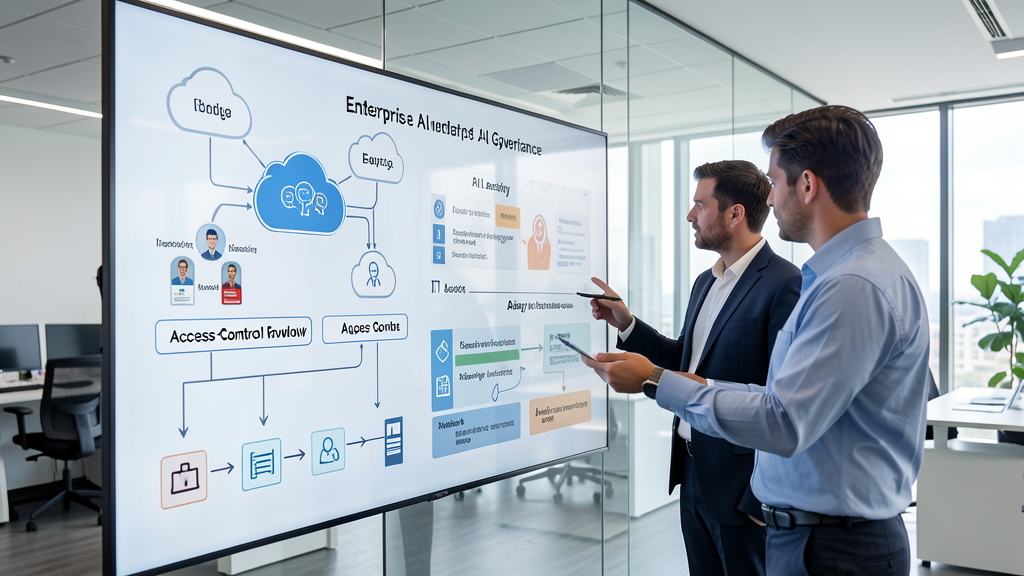
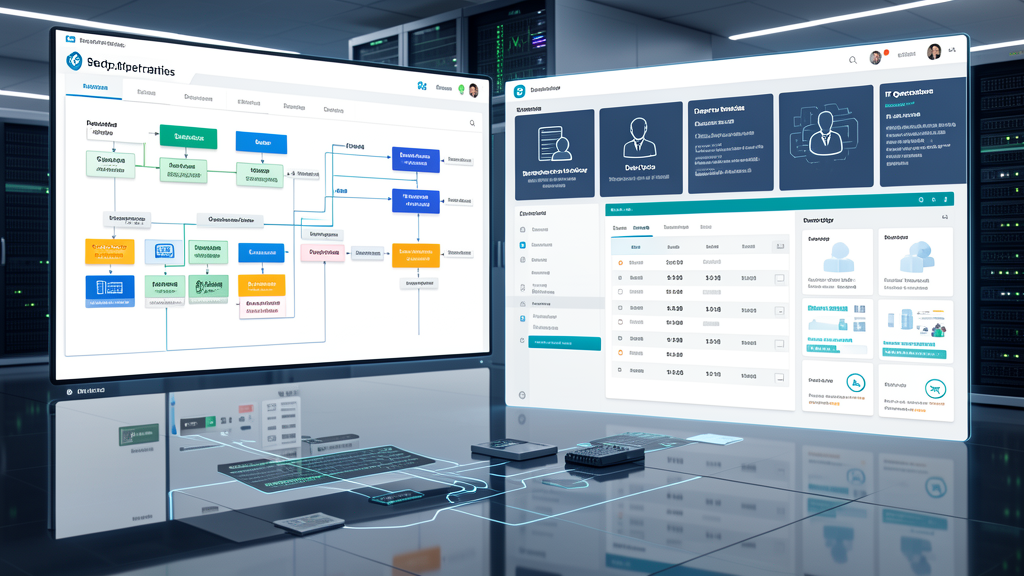
    IT leader reviewing an AI agent inventory and access-control workflow
    Inventory-first governance starts with ownership, approval, and scope.

    What changed in 2026

    The market is moving away from isolated copilots and toward agentic workflows that can perform multi-step work. That creates a new governance burden. A single employee might use a browser-based agent for research, a line-of-business team might deploy an internal support bot, and an MSP or developer team might wire an automation into ticketing, storage, and identity platforms. Individually, each use case may look harmless. Collectively, they create a fragmented permissions landscape that most enterprises are not prepared to track.

    Microsoft’s recent announcements are important because they reflect where the market is headed: visibility first, then policy, then runtime enforcement. That is the same sequence enterprises used for identity, endpoint management, and cloud access. AI agents now need the same discipline.

    Why enterprises should care now

    AI agent sprawl is not just an innovation issue. It is an operational, financial, and compliance issue. When an agent has persistent access to a mailbox, document library, CRM, finance workflow, or support queue, the risk is not limited to unauthorized access. The risk also includes accidental disclosure, over-collection of data, hidden dependencies, and workflow changes that no one notices until an audit, incident, or business interruption reveals them.

    Enterprise leaders should be concerned for four reasons:

    • Identity risk: agents often inherit permissions from the human or service account that created them.
    • Data risk: an agent that can read broadly can also leak broadly, even if unintentionally.
    • Operational risk: an automation can become a single point of failure if nobody owns it.
    • Compliance risk: the business may not be able to explain who approved the agent, what it touched, or why it still exists.
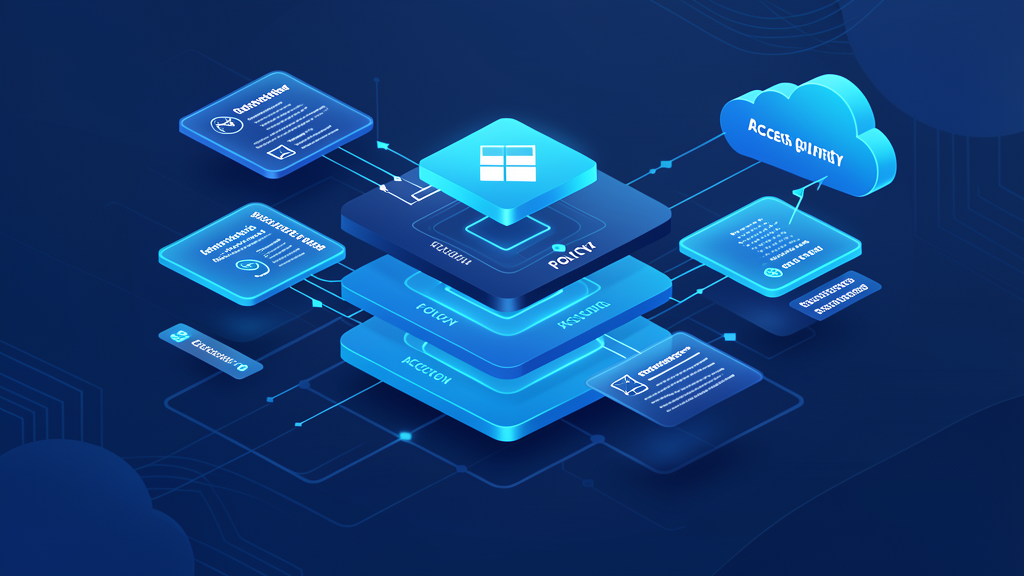
    Zero-trust style control plane for AI agents, permissions, and runtime alerts
    Runtime monitoring is now part of the governance model, not an afterthought.

    Where the control gap appears

    Most enterprises already have tooling for user accounts, endpoints, and cloud apps. The gap is that AI agents sit across all three domains. They may be created in one team, approved by another, and operated by a third. The result is governance drift: the business knows the tool exists, but not the full blast radius.

    Control area Traditional software governance AI agent governance
    Discovery Track licensed applications and assigned users Track every agent, connector, model, and service identity
    Approval Annual software review or procurement approval Use-case approval, scope approval, and owner assignment
    Access SSO, MFA, and role-based access Scoped actions, least privilege, and data boundary controls
    Monitoring Login events and app usage Prompt flow, tool calls, runtime alerts, and abnormal actions
    Retirement Disable license or uninstall software Revoke credentials, disconnect tools, preserve evidence, and decommission workflows

    Best practices for building an inventory-first model

    An effective governance model does not start with a ban. It starts with visibility. Enterprises that want AI adoption without chaos should focus on the following steps:

    1. Inventory every agent and connector. Include internal automations, vendor copilots, browser agents, and workflow bots.
    2. Assign a named owner. Every agent should have a business owner, a technical owner, and an approval trail.
    3. Classify data access. Document which systems, records, and identities each agent can access.
    4. Reduce permissions aggressively. If an agent only needs read access, do not give it write access.
    5. Log and alert on runtime behavior. Watch for unusual tool usage, data movement, and action chains.
    6. Define retirement procedures. An abandoned agent is still an access path.

    That framework is not about slowing AI down. It is about making adoption durable enough for finance, legal, security, and operations to sign off on it with confidence.

    Enterprise checklist for the next 30 days

    • Build a single inventory of all known AI agents and automations.
    • Review privileged service accounts and token-based connectors tied to those agents.
    • Document each agent’s data sources, actions, and downstream systems.
    • Require human approval for high-risk workflow changes.
    • Establish a rollback or kill-switch process for every production agent.
    • Include AI agents in incident response and offboarding procedures.

    Finance legal and IT stakeholders evaluating AI vendor governance and procurement controls
    Procurement, legal, finance, and IT all need a seat at the table.

    Key takeaway: If the business cannot answer “What agents exist, what can they access, and who approved them?” it does not yet have AI governance — it has shadow automation.

    How QuickMSP fits into the operating model

    QuickMSP is well positioned to help enterprises move from AI enthusiasm to controlled execution. The practical work is not just enabling tools; it is aligning identity, access, monitoring, and process ownership so the organization can use AI without creating blind spots. That includes inventorying connected services, tightening permissions, documenting approvals, and building a repeatable control framework that business leaders can trust.

    For organizations that are piloting copilots, deploying task agents, or connecting AI to internal workflows, this is the right time to create a governance baseline. The longer enterprises wait, the more shadow AI accumulates, and the harder it becomes to map risk back to a responsible owner.

    Bottom line: AI agents are becoming part of the enterprise operating environment. The winners will not be the companies that deploy the most of them first. The winners will be the companies that can inventory them, govern them, and prove they are safe to scale.

    Need help turning AI adoption into a controlled enterprise rollout? QuickMSP can help your team design the inventory, access, and monitoring model needed to make AI governance operational.

  • Data Sovereignty Is Becoming an AI Procurement Requirement for Enterprises in 2026

    Data Sovereignty Is Becoming an AI Procurement Requirement for Enterprises in 2026

    Enterprise AI is no longer a purely technical conversation. In 2026, the more important question is whether an AI workload can be deployed, monitored, and audited under the right legal and operational boundary. That is why data sovereignty is moving from a compliance footnote to a procurement requirement.

    Recent market signals are hard to ignore. IBM’s Sovereign Core announcement made digital sovereignty more concrete at the infrastructure level, while EU AI Act deadlines are pushing enterprises to prove how they govern high-risk AI systems. At the same time, enterprise leaders are discovering that model choice alone is not enough. Where data is stored, who can access it, which jurisdiction applies, and whether logs leave the region now matter just as much as model quality or price.

    Why this trend matters now

    For years, data sovereignty was often treated as a regional IT concern. A legal team would flag it, procurement would note it, and the project would move on. That approach no longer works when AI systems ingest customer records, employee data, financial documents, and internal knowledge at scale.

    Three shifts are accelerating the problem:

    • AI has expanded the surface area of sensitive data. Prompts, retrieved documents, transcripts, and outputs can all become governed data.
    • Regulators are asking for more proof, not just policy. Enterprises need evidence of where data is processed, who sub-processes it, and how retention works.
    • Vendors are packaging sovereignty as a product feature. That makes sovereignty a competitive buying criterion, not a theoretical risk discussion.
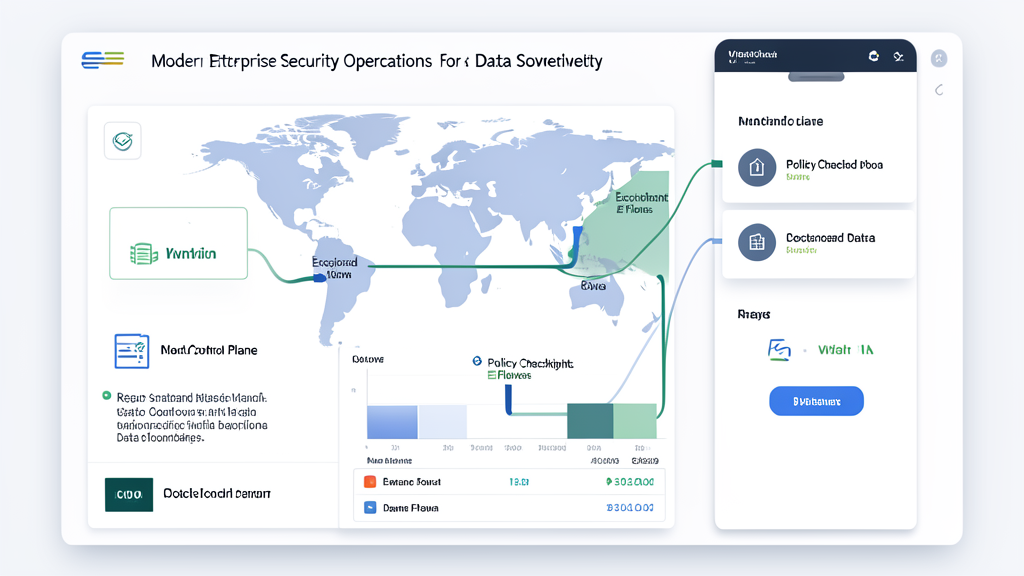
    Sovereign cloud control plane

    What enterprises risk if they ignore it

    The obvious risk is compliance exposure, but the operational impact is broader. A company that adopts AI first and governance later can easily end up with fragmented deployments, blocked rollouts, and unhappy business teams that expected automation to be immediate.

    Common failure modes include:

    • Cross-border data leakage: AI tools that store prompts or retrieval results outside approved regions.
    • Shadow AI procurement: business units buying SaaS copilots before security and legal teams can review residency and logging terms.
    • Vendor lock-in: once workflows depend on a specific region, model, or control plane, switching becomes expensive and slow.
    • Audit gaps: no defensible record of what data was used, where it was processed, and who approved the exception.
    • Deployment delays: teams pause rollouts while procurement, compliance, and IT try to reconstruct the data path after the fact.

    Real-world scenario: A multinational finance team wants to use an AI assistant to summarize customer interactions from several regions. The pilot works technically, but the tool routes telemetry through a shared global service and retains logs in a non-approved jurisdiction. The result is not just a security concern; it becomes a procurement and legal issue that slows the program and erodes confidence in the whole AI roadmap.

    How the procurement conversation is changing

    Buyers used to evaluate AI platforms on features, accuracy, and cost. Today, enterprise buyers also need to ask whether the platform can meet regional residency requirements, provide auditable controls, and support exit planning if a jurisdiction or vendor relationship changes.

    Deployment option Strength Tradeoff Best fit
    Public AI API Fast adoption and low initial friction Least control over residency and subprocessing Low-risk content tasks and experimentation
    Regional cloud deployment Better data locality and policy enforcement Requires stronger internal governance and integrations Mid-risk enterprise workflows
    Sovereign cloud / sovereign AI stack Strongest control over jurisdiction, access, and evidence Higher complexity and often higher cost Regulated, cross-border, or mission-critical workloads

    That comparison matters because many enterprises are no longer asking whether to use AI. They are asking which AI workloads can run in which environments without creating a compliance or sovereignty exception.

    Best practices for an enterprise-ready sovereignty strategy

    The right response is not to block AI. It is to classify, govern, and design the rollout so the business can move quickly without creating hidden exposure.

    1. Classify AI use cases by data sensitivity

    Separate public content workflows from internal knowledge retrieval, regulated data processing, and customer-facing automation. The controls should increase as sensitivity increases.

    2. Require a data path map before purchase

    Procurement should demand a clear answer to four questions: where data is stored, where it is processed, whether prompts or outputs are retained, and which subprocessors can access it.

    3. Standardize exception handling

    When a business team needs an exception, document the business reason, the risk acceptance owner, the expiry date, and the rollback plan. Exceptions without an end date tend to become permanent architecture.

    4. Build logging and evidence into the workflow

    Continuous compliance is more than policy language. It requires records that can survive audit and board review. That means access logs, retention settings, and a repeatable process for proving control effectiveness.

    5. Plan for portability from day one

    A sovereign AI strategy should include exit planning. If a provider changes terms, introduces a new control plane, or expands processing outside your approved region, the business should know how to move without starting from zero.

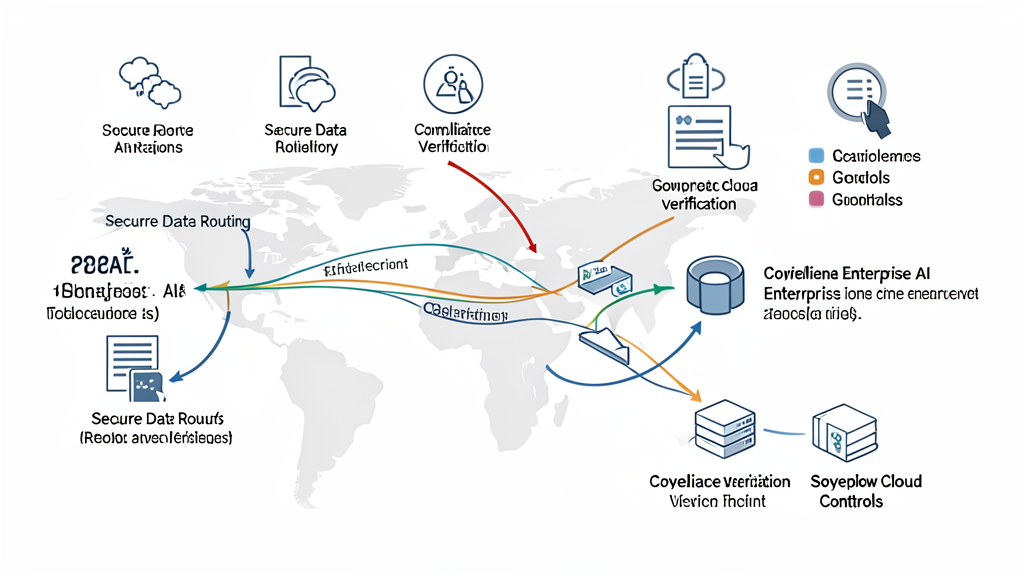
    Enterprise AI governance and secure regional data routing

    Enterprise readiness checklist

    • Identify which AI use cases touch regulated, employee, customer, or financial data.
    • Map every AI vendor’s storage, processing, logging, and subprocessor footprint.
    • Document jurisdiction requirements by region, business unit, and data class.
    • Require legal, security, and procurement approval for sovereignty exceptions.
    • Validate that logging, retention, and model usage can be audited.
    • Test vendor exit paths before the system becomes business-critical.
    • Review whether your current cloud and identity stack can enforce region-specific controls.

    Key takeaway: Data sovereignty is no longer just about where information lives. In the AI era, it is about where data is processed, who can see it, how long it is retained, and whether the business can prove those controls at audit time.

    How QuickMSP helps enterprises respond

    QuickMSP helps organizations turn sovereignty concerns into practical operating controls. That includes evaluating AI and cloud workflows, tightening identity and access boundaries, improving governance around sensitive workloads, and aligning technology choices with business risk. For enterprises that want to move forward with AI without losing control of data residency or compliance requirements, that balance is the real objective.

    If your team is evaluating AI tools, regional cloud changes, or compliance pressure from new sovereignty requirements, now is the time to build the guardrails before the next rollout becomes the next exception. QuickMSP can help you assess the risk, define the controls, and operationalize a rollout that stands up to business, security, and audit scrutiny.

  • Deepfake Phishing Is Forcing Enterprises to Rebuild Identity Verification in 2026

    Deepfake Phishing Is Forcing Enterprises to Rebuild Identity Verification in 2026

    Deepfake phishing has moved beyond a novelty risk. In 2026, the problem is no longer just that attackers can send convincing emails. They can clone an executive voice, stage a believable video call, imitate a helpdesk agent, and use a familiar approval path to get money, access, or data released in minutes.

    That shift matters because enterprises have spent years improving email filtering, MFA prompts, and security awareness, only to discover that the weakest point is often the human process around identity verification. If a finance approver trusts a voice on a call, if a service desk trusts a familiar accent and script, or if a supplier change is approved inside the same channel that delivered the request, then the organization may have modern tools but an outdated trust model.

    This is why deepfake phishing is emerging as an enterprise governance issue, not just a cyber-awareness issue. The most effective response is not panic or blanket bans on AI. It is a redesign of verification, approval, and escalation workflows so that identity is checked through more than one channel and more than one signal.

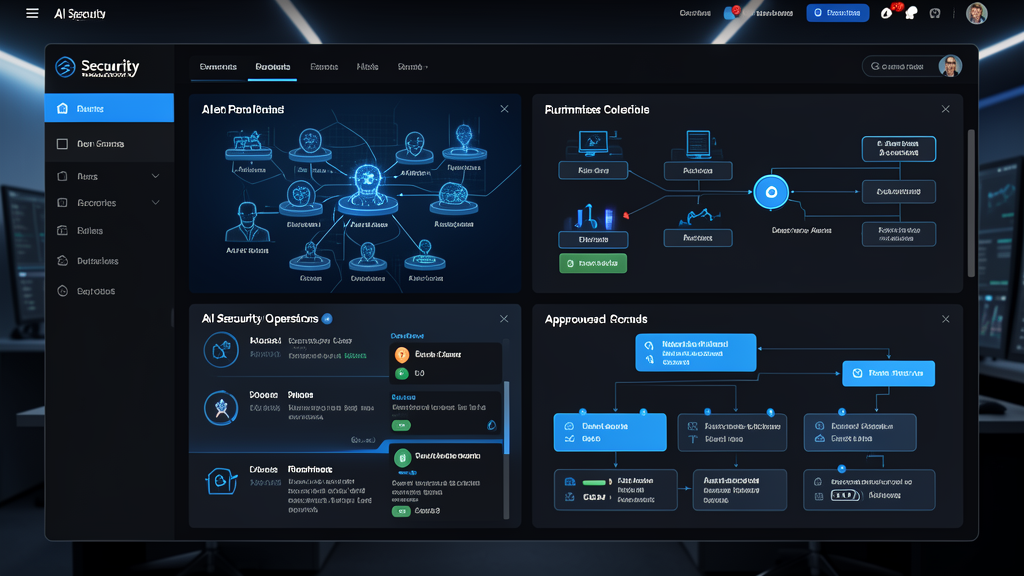
    AI security operations dashboard monitoring deepfake and impersonation threats

    What changed in the threat landscape

    Deepfake-enabled attacks are attractive to criminals because they compress several steps at once: they build trust, create urgency, and exploit process gaps. An attacker no longer needs to break into a mailbox first. They can impersonate the mailbox owner, call the finance team, or join a video meeting and use the meeting itself as the proof point.

    The most common enterprise scenarios now look like this:

    • Executive impersonation: a cloned voice or synthetic video is used to approve a wire transfer, gift card purchase, invoice exception, or urgent procurement change.
    • Helpdesk fraud: an attacker poses as an employee who “lost access” and pressures support staff into resetting MFA, changing recovery details, or exposing internal information.
    • Supplier manipulation: a “new bank account” request arrives from a familiar partner, then gets reinforced by a follow-up call that sounds legitimate.
    • Hybrid meeting abuse: the attacker uses a video call to create social proof, relying on the fact that many teams still equate seeing and hearing someone with trusting them.
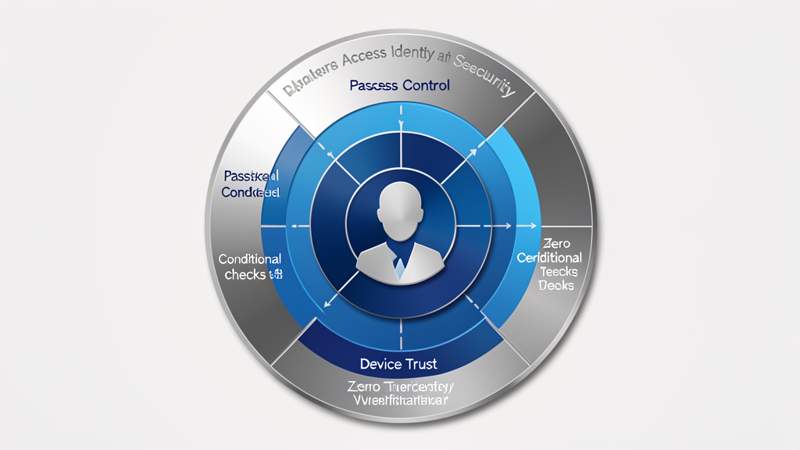
    Zero trust identity verification and access control visual for enterprise security

    Why enterprises should care now

    Enterprises are especially exposed because they run on delegated authority. Finance teams approve payments. Operations teams approve vendors. IT teams approve access. Executives approve exceptions. The more distributed the business becomes, the more likely it is that a small number of people can authorize high-value actions quickly.

    That efficiency is exactly what attackers target. A convincing impersonation can create a false sense of legitimacy inside a high-trust workflow. And because many organizations have optimized for speed, not identity proof, an attacker only needs one well-timed exception to turn a synthetic conversation into a real loss.

    There is also a strategic concern: a deepfake event rarely stays isolated. The immediate impact may be a fraudulent payment or access reset, but the longer-term damage can include audit findings, supplier disputes, reputational harm, and a much more expensive identity remediation effort. In regulated industries, it can also become a governance issue because the organization failed to apply stronger verification controls to high-risk transactions.

    What happens if you ignore it

    1. Finance becomes the softest target

    Finance teams are used to urgency. That makes them efficient, but it also makes them vulnerable to a polished request that appears to come from a leader, a vendor, or a trusted partner. If the approval chain is too informal, the business may approve a fraudulent transaction before anyone questions the source.

    2. The helpdesk becomes an attack multiplier

    Helpdesks often have the authority to reset access quickly, and attackers know it. A cloned voice, a well-rehearsed script, and just enough context can persuade a support analyst to bypass the usual friction. Once that happens, the attacker can move from impersonation to account takeover.

    3. Trust in collaboration tools erodes

    If employees can no longer trust what they hear on a call or see in a meeting, collaboration slows down. Businesses then face a bad tradeoff: either they keep moving quickly and accept more risk, or they add manual verification steps that frustrate users. The answer is to build verification into the workflow, not bolt it on after the fact.

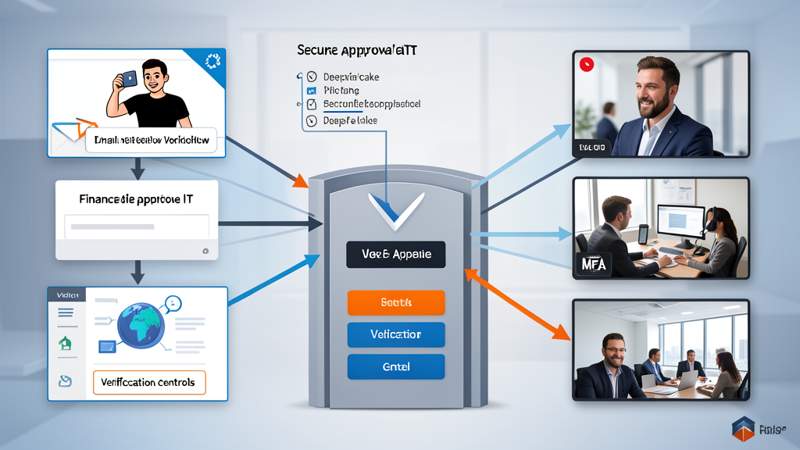
    Finance approval workflow showing deepfake phishing risk in enterprise payment operations

    Recommended enterprise controls

    The goal is not to make every employee a forensic analyst. The goal is to make high-risk actions harder to authorize through impersonation alone. The most effective controls combine identity, process, and technology.

    • Require out-of-band verification for high-risk requests. Payment changes, bank detail updates, privileged access requests, and supplier exceptions should be verified through a separate channel.
    • Use phishing-resistant authentication. Passkeys and other strong authentication methods reduce the value of stolen credentials and intercepted prompts.
    • Separate request, approval, and execution. No single conversation should be enough to move money or change sensitive access.
    • Protect the helpdesk with identity challenges. Support teams should have clear scripts, callback rules, and escalation triggers for resets and recovery changes.
    • Instrument unusual approval behavior. Sudden urgency, changes in tone, odd timing, and requests to bypass process should trigger additional review.
    • Train the people closest to money and access. Finance, HR, procurement, and IT support are higher-value targets than general users.

    Traditional verification versus deepfake-resistant verification

    Area Traditional approach Enterprise-ready update
    Approvals One familiar email or message is enough Secondary callback or signed workflow for high-risk actions
    Helpdesk resets Security questions or verbal confirmation Identity proofing, workflow evidence, and escalation for exceptions
    Vendor changes Reply-to-thread trust Independent contact verification before changes are applied
    Authentication Password plus prompt-based MFA Phishing-resistant authentication and tighter privileged access controls
    Managed security operations center monitoring identity and impersonation threats

    Enterprise checklist for the next 30 days

    • Map every workflow where money, access, or sensitive data can be approved.
    • Identify which of those workflows can be completed from a single email, call, or chat message.
    • Require an out-of-band callback for the highest-risk transaction types.
    • Review helpdesk reset and recovery processes for impersonation exposure.
    • Prioritize phishing-resistant authentication for administrators and high-value approvers.
    • Update incident response playbooks to include synthetic voice, video, and social engineering.
    • Test finance and support teams with realistic impersonation scenarios.

    Key takeaway: The attack surface is no longer just email. Any channel that can carry trust can be abused to move money, reset access, or approve exceptions. Enterprises that want to stay ahead of deepfake phishing need verification controls that work across channels, not just inside them.

    How QuickMSP helps enterprises close the gap

    QuickMSP works with organizations that need practical security improvements without slowing the business to a crawl. That includes tightening Microsoft 365 and identity controls, improving secure remote access, hardening support workflows, and aligning monitoring so impersonation attempts are caught before they become operational events.

    If your teams are still relying on a familiar voice, a familiar face, or a familiar thread to approve high-value actions, now is the time to modernize the verification model. Deepfake phishing is no longer a future concern. It is a current operating risk, and the enterprises that adapt fastest will be the ones that preserve both speed and trust.

    Need help assessing your approval and identity workflows? QuickMSP can help you identify the weak points, close the process gaps, and build a more resilient enterprise security posture.

  • Microsoft 365 Security Packaging Changes Demand an Enterprise Governance Review

    Microsoft 365 Security Packaging Changes Demand an Enterprise Governance Review

    Why this change matters now

    Microsoft’s 2026 Microsoft 365 packaging update is more than a licensing refresh. It reflects a broader shift in enterprise software: security, identity, and management controls are increasingly bundled into the operating suite, which means procurement decisions now affect governance decisions.

    For enterprises that run Microsoft 365 across headquarters, branch offices, remote users, contractors, and shared devices, the question is no longer whether the new features are useful. The real question is whether the organization can absorb them in a controlled way without fragmenting policy, creating support confusion, or surprising finance teams at renewal time.

    Business leaders reviewing Microsoft 365 licensing and security implications in a boardroom
    Microsoft 365 packaging changes become a cross-functional decision when finance, security, and IT all own a piece of the rollout.

    Microsoft’s announced 2026 suite changes include additional security and management capabilities such as Defender Plan 1, URL time-of-click protection, Intune improvements, and more storage in some commercial plans. That matters because every added capability changes the implementation plan: identity rules, endpoint baselines, user communications, testing windows, and ownership boundaries all need to be updated together.

    This is especially relevant for organizations that buy Microsoft 365 as an operating platform rather than just an email and collaboration tool. The more critical the suite becomes to daily business, the more dangerous it is to treat licensing as a back-office exercise.

    The enterprise impact goes beyond licensing

    In a small environment, a bundle change may feel like a procurement detail. In an enterprise, it touches four teams at once: finance, security, IT operations, and business-unit leadership.

    If those teams do not coordinate, the result is usually one of three outcomes: the organization pays for capabilities it never enables, enables capabilities before the support model is ready, or creates inconsistent protection across user groups. Each outcome is expensive in a different way.

    • Budget risk: licenses renew before the business knows which features it will actually operationalize.
    • Security risk: protection levels differ across user groups, locations, or devices.
    • Support risk: the help desk gets flooded with access, sign-in, and policy-change questions.
    • Governance risk: the organization cannot prove which controls were enabled, when they were tested, or who approved the rollout.

    The practical problem is not just cost. It is control drift. Once a new security capability is available inside a suite, different teams often move at different speeds. One business unit wants it on immediately. Another wants to wait until after quarter-end. Security wants a policy review. Finance wants a renewal strategy. That friction is normal, but it needs a process.

    Where enterprises get caught out

    The biggest mistakes usually appear in mixed environments. A manufacturing firm might have office workers on managed laptops, plant-floor users on shared devices, and contractors who only need a narrow set of services. A professional services company might have consultants on both corporate and personal devices. A regulated business may need tighter audit evidence before enabling any protection change that alters access or mail flow.

    In each case, the packaging update is not just a feature release. It is a sequencing problem. Which user groups get which controls first? Which baselines need to be updated before the rollout? Which support articles and escalation paths need to change? Which metrics will show whether the change improved security or simply added complexity?

    That is why this trend matters now. Microsoft is making the suite more capable, but enterprises still have to make it governable.

    Abstract layered identity governance and access control visualization for Microsoft 365
    Identity, access, and endpoint policy need to move together when Microsoft 365 capabilities expand.

    A practical response framework

    Enterprises should treat the packaging update as a short governance project, not a casual license refresh. The goal is to align the new Microsoft 365 capabilities with existing control ownership and rollout discipline.

    Review area Reactive response Enterprise-ready response
    Licensing Renew first and ask questions later Map new features to business owners, security controls, and adoption timing
    Identity Leave defaults unchanged Validate MFA, conditional access, and admin-role impact before rollout
    Endpoint management Enable the new controls for everyone Pilot with high-risk groups, support-desk coverage, and rollback planning
    Governance Document after the change Approve, measure, and communicate before the change goes live

    That framework works because it keeps the conversation anchored to business outcomes. The question is not whether Microsoft shipped a new capability. The question is whether the enterprise can turn it into a measurable control without creating new operational debt.

    Checklist for the next 30 days

    • Inventory current Microsoft 365, Office 365, and EMS license mix by business unit.
    • Map each new capability to a control owner: security, IT operations, or compliance.
    • Decide which features should be enabled tenant-wide and which should be phased in.
    • Test the interaction between identity policy, device compliance, and user access.
    • Update the help desk with scripts for sign-in, policy, and support questions.
    • Align Finance and IT on how the new packaging affects renewal timing and budget approvals.
    • Document what success looks like after rollout: fewer incidents, cleaner access, faster response, or better audit evidence.

    Enterprises that move quickly still need discipline. A fast rollout without support preparation just shifts the cost from procurement to operations. A slow rollout without ownership creates shadow decisions and inconsistent user experience. The best programs sit in the middle: deliberate, staged, and measured.

    One useful rule is to start with the most controllable user group first. If the enterprise can validate behavior on a high-trust, low-complexity segment, it reduces the risk of broad user disruption later. That approach is particularly useful when the change affects access, mailbox protection, or device policy.

    Key takeaway: The question is not whether Microsoft adds more security features. It is whether your organization can absorb them without creating a second security stack, a second support motion, or a surprise budget line.

    How QuickMSP helps

    QuickMSP helps enterprises review their Microsoft 365 estate, map licensing to security and compliance requirements, stage changes in a controlled order, and keep the support desk and stakeholders aligned. That can include planning the rollout, validating identity dependencies, documenting support updates, and making sure the final state actually matches the business intent.

    For leadership teams, that means the packaging update becomes a managed decision instead of an urgent scramble. For IT teams, it means fewer surprises when the new capabilities arrive. For finance, it means a clearer line of sight between spend and risk reduction.

    If your organization is facing a Microsoft 365 packaging decision this quarter, QuickMSP can help you turn it into a controlled governance review instead of an ad hoc scramble.

  • Zero Trust for AI: Why Enterprise Agent Governance Is Becoming a Baseline in 2026

    Zero Trust for AI: Why Enterprise Agent Governance Is Becoming a Baseline in 2026

    Zero Trust for AI: Why Enterprise Agent Governance Is Becoming a Baseline in 2026

    AI has moved beyond chat interfaces and into business execution. Today’s agents can read email, query CRM records, create support tickets, draft documents, open pull requests, and trigger workflows across connected systems. That shift changes the security conversation from what can the model say? to what is this agent allowed to do?

    That distinction matters because an AI agent is no longer just an advisory tool. In many enterprise deployments, it behaves like a non-human user with delegated authority. Recent platform moves, including Microsoft’s Agent 365 and Zero Trust for AI guidance, show that the market is converging on a new operating assumption: AI needs its own governance layer before it can safely scale across business systems.

    Why this trend is accelerating now

    For the last few years, many organizations treated AI as an isolated productivity layer. That model is breaking down. Enterprises are now connecting AI to identity systems, cloud apps, document repositories, ticketing tools, and data platforms. The business case is straightforward: if an agent can gather context and execute routine work, teams move faster. The risk is equally straightforward: if an agent inherits too much access, it can act faster than your controls can respond.

    The current market shift is not simply “more AI.” It is the emergence of agentic infrastructure—the control plane that determines which agent exists, what identity it uses, which tools it can call, what data it can reach, and what approvals are required before it acts. In practice, that means AI governance is becoming a board-level operating issue, not just a security architecture concern.

    • AI is becoming operational, not experimental. Agents are being wired into real workflows.
    • Identity is expanding. Non-human identities now need lifecycle management and access reviews.
    • Security teams need visibility. Shadow agents and hidden connectors can bypass traditional review processes.
    • Compliance teams need evidence. Leaders must show who approved an agent, what it accessed, and why.

    Why enterprises should care

    Enterprise leaders should view AI agents through the same lens they use for privileged access, automation, and change control. The challenge is not that AI is inherently unsafe. The challenge is that AI combines three characteristics that make governance difficult: speed, scale, and delegated authority.

    In a finance team, a well-intended invoice triage agent might need read access to a shared mailbox, a procurement platform, and a contract repository. In a service desk, an agent might be asked to summarize incidents, draft replies, and update tickets. In operations, an AI workflow may touch onboarding records, compliance evidence, and cloud configuration. Each use case is valuable. Each one also creates a new path for data exposure, misrouting, or accidental action if permissions are too broad.

    That is why the industry is moving toward a Zero Trust for AI model. The principle is simple: verify the agent explicitly, grant only the minimum access required, and assume that an agent can be misused, misconfigured, or compromised. In other words, treat agents like privileged system participants—not like harmless productivity features.

    IT leaders reviewing AI governance and access controls

    What happens if you ignore the problem

    Organizations that rush AI into production without a governance layer usually run into the same set of issues. The first is overshared access. Teams grant broad permissions so the pilot works, then never tighten the scope. The second is shadow AI: employees connect unapproved copilots or local agents to sensitive systems because the sanctioned workflow is too slow or too limited. The third is audit blindness. When an agent takes an action, the business needs to know whether that action was reviewed, approved, logged, and reversible.

    Risk area What it looks like Business impact
    Over-privileged agent One agent can read, write, and trigger across multiple systems Greater blast radius if credentials or logic are misused
    Shadow deployment Business users connect AI tools without security review Policy drift, compliance gaps, and inconsistent controls
    Weak observability No clear record of prompts, actions, approvals, or exceptions Harder incident response and weaker audit evidence
    No rollback path Agent actions cannot be paused or reversed quickly Operational disruption when errors propagate at machine speed

    For leadership teams, the financial risk is not limited to a bad AI output. The bigger exposure is process corruption: an AI-assisted workflow updates the wrong record, exposes the wrong document, or triggers the wrong downstream event before anyone notices. That can affect revenue, customer trust, regulatory posture, and internal control confidence all at once.

    A practical governance framework for enterprise AI

    The good news is that AI governance does not require a theoretical framework. It requires a disciplined operating model. Enterprises that want to scale AI responsibly should focus on five control layers.

    1. Inventory every agent and connector

    Start with discovery. You cannot govern what you cannot name. Build an inventory of sanctioned agents, pilot agents, third-party copilots, custom workflows, and the connectors each one uses. Classify them by business function, data sensitivity, and environment. This is the foundation for ownership and review.

    2. Give each agent a real identity

    Agents need lifecycle management just like employees and service accounts. Assign them clear ownership, explicit authentication, and an expiration or review cadence. If an agent has no accountable owner, it should not be in production.

    3. Apply least privilege and conditional access

    Access should be scoped to task, time, and environment. A support agent that drafts responses should not automatically have permission to export customer records. A finance workflow that summarizes invoices should not be able to approve payments. Conditional access, approval gates, and environment restrictions should be used to constrain both identity and behavior.

    4. Limit the data and tools each agent can touch

    Do not assume a broad connector list is a feature. It is usually a risk. The more systems an agent can reach, the more carefully it must be governed. Restrict access to the smallest useful set of data sources and actions. If the workflow only needs read access, block write access. If it only needs current-quarter data, do not give it historical archives by default.

    5. Monitor, test, and retain a kill switch

    Observability is essential. Log prompts, tool calls, approvals, exceptions, and failed actions. Periodically test what happens when access is removed or the agent is paused. Every production AI deployment should have a clear owner and a practical rollback process. If you cannot disable an agent cleanly, you do not yet have control over it.

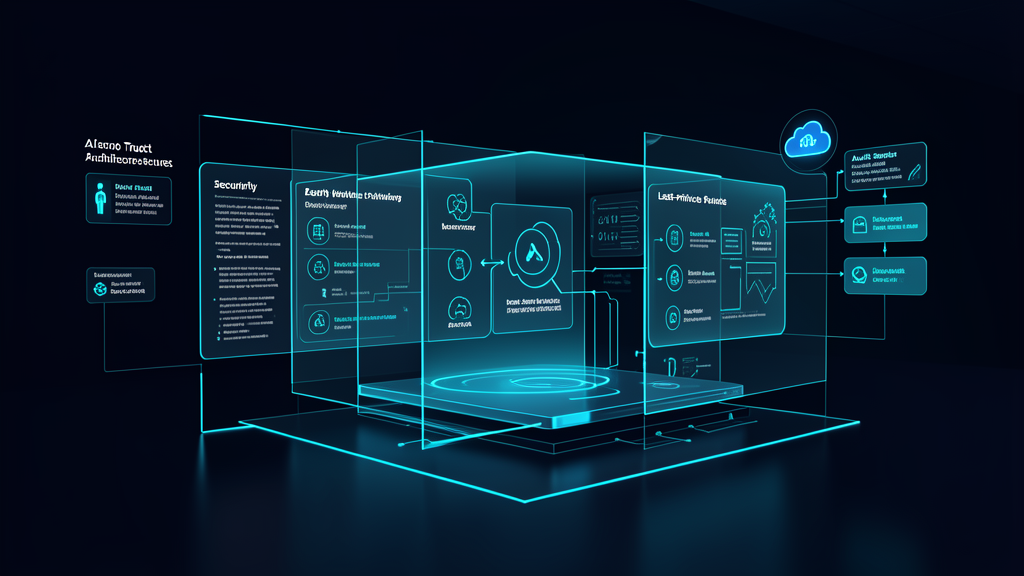
    Zero Trust architecture for AI agents

    Enterprise checklist for the next 30 days

    • Identify every sanctioned AI agent, copilot, or workflow connector in use.
    • Map each agent to a named business owner and technical owner.
    • Review the identities, permissions, and service accounts each agent uses.
    • Remove broad or inherited access that is not required for the task.
    • Confirm logging is enabled for prompts, tool actions, and exceptions.
    • Define an approval path for new agents and new connectors.
    • Document a rollback or disablement process for each production use case.
    • Align AI governance with Microsoft 365, Entra, and identity policies if those are part of your stack.
    Control area Minimum standard Enterprise outcome
    Identity Named owner and managed credentials Accountability and lifecycle control
    Access Least privilege and conditional access Reduced blast radius
    Data Task-specific sources and boundaries Lower leakage risk
    Monitoring Action logging and review Better incident response and auditability
    Response Disablement and rollback plan Faster containment when something goes wrong

    Key takeaway: AI governance now needs the same discipline as identity governance and access control. If an agent can act on behalf of the business, it must be treated like a privileged non-human identity—not a feature toggle.

    How QuickMSP helps enterprise teams operationalize the shift

    QuickMSP works with organizations that need practical controls, not just AI enthusiasm. That includes aligning Microsoft 365 and Entra governance, tightening access policies, improving visibility into agent behavior, and building the operational guardrails that let teams use AI without losing control of data or process integrity.

    If your organization is piloting Copilot, custom agents, or other AI workflows, now is the time to put governance in place before those tools become business-critical. QuickMSP can help you map the risk, define the control model, and build a deployment approach that supports growth without compromising security or compliance.

    Ready to make AI safer for production use? Talk to QuickMSP about enterprise AI governance, identity controls, and Zero Trust planning for the agentic era.

  • Microsoft Entra’s June 2026 Conditional Access Change: Why Resource Exclusions Need a Governance Audit Now

    Microsoft Entra’s June 2026 Conditional Access Change: Why Resource Exclusions Need a Governance Audit Now

    Identity controls only work when they behave consistently. Microsoft’s upcoming Entra Conditional Access update is a reminder that exceptions are not harmless shortcuts; over time, they become part of the control plane. On June 15, 2026, Microsoft will begin enforcing a narrow set of Conditional Access scenarios even when resource exclusions are present, specifically for sign-ins that request only OIDC scopes or a limited set of directory scopes.

    For enterprises, the practical issue is not whether the announcement is technically important — it is whether your current policy design depends on exclusions that no one has revisited in months or years. In many environments, those exclusions were created for a legitimate reason: a legacy app, a service principal, a reporting workflow, a browser-based integration, or an automation flow that could not absorb a stricter policy without breaking the business. The problem is that temporary exceptions often become permanent architecture.

    That is why this change deserves executive attention now. It affects how security, operations, application owners, and help desk teams think about access governance. If your organization treats Conditional Access as an identity-only matter, you risk discovering policy drift the hard way — through failed sign-ins, emergency exemptions, or an audit trail that does not clearly explain who owns what.

    Governance review meeting for Conditional Access resource exclusions
    Resource exclusions should be reviewed as governed exceptions, not as permanent shortcuts.

    What is changing and why it matters now

    Microsoft says the change is part of its Secure Future Initiative and is intended to improve enforcement consistency for a narrow set of authentication flows. In plain terms, if a user signs in through a client application that requests only OIDC scopes or a limited set of directory scopes, Conditional Access policies targeting All resources will be enforced even when resource exclusions exist. That closes a gap that many organizations may not realize they were relying on.

    This matters because enterprise identity programs are built on assumptions: which policies apply to which apps, which exclusions exist for a reason, and which exceptions are safe to keep. Once a vendor changes enforcement behavior, those assumptions can become outdated overnight. Even if the policy change is narrow, the operational blast radius can be wide because the affected apps are usually embedded in workflows that finance, HR, operations, or customer service depend on every day.

    Why enterprises should care

    Security leaders are not just managing login prompts. They are managing business continuity, user trust, and the reliability of the digital workplace. When policy enforcement changes, the risk is not limited to a blocked sign-in. It can expose broader weaknesses in your operating model:

    • Policy sprawl: too many exclusions, too many owners, and no clear review cadence.
    • Opaque app dependencies: no one can say which workflow depends on which exception.
    • Hidden compliance exposure: an exception created for convenience may now conflict with access-control expectations.
    • Operational fragility: a minor identity change causes a help desk surge or a temporary business slowdown.
    • Change-management gaps: security changes are announced, but app owners are not engaged early enough to test impact.

    In a mature enterprise, identity policy should be as visible and governed as network segmentation or backup retention. If it is not documented, monitored, and reviewed, it will eventually surprise you.

    IT team monitoring sign-in risk and access policy alerts
    Change detection only helps if policy owners can act before users are impacted.

    The business risk of ignoring the change

    The strongest reason to act now is that the risk profile is both technical and financial. If the identity team leaves exclusions untouched, the organization may face one of three outcomes:

    1. Silent inconsistency: the old exception logic no longer behaves as expected, which creates access gaps that are hard to trace.
    2. Reactive remediation: users get blocked, the help desk opens incidents, and teams rush to rework policy under pressure.
    3. Shadow exception handling: teams create one-off workarounds to keep the business moving, which deepens the governance problem.

    For regulated businesses, this can also become an audit issue. If a policy exclusion exists but no one can explain why it still exists, what it protects, and who approved it, the control is weak even if it is technically functioning. That is the kind of finding that can complicate internal audits, customer security reviews, and cyber insurance discussions.

    Enterprises should also think about executive confidence. Leaders expect cloud identity to reduce risk through standardization. If exceptions proliferate invisibly, the identity stack begins to look like a collection of workarounds rather than a control framework.

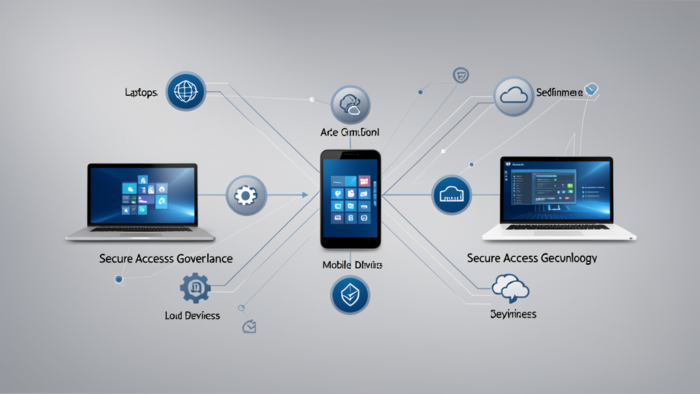
    Secure access governance across cloud and endpoint services
    Access governance is strongest when policy, monitoring, and ownership stay aligned.

    How to respond before the rollout window

    The right response is not to freeze every policy change. It is to build a focused review process that separates business-critical exceptions from legacy clutter. Start with these actions:

    • Inventory all Conditional Access exclusions. Identify every exclusion, its purpose, and the owner responsible for approving it.
    • Map affected sign-in flows. Find the apps, integrations, and automation paths that use OIDC-only or limited-scope directory requests.
    • Classify each exception. Decide whether it is operationally required, temporary, redundant, or ready for retirement.
    • Test in a controlled environment. Validate how high-value workflows behave before the rollout reaches production users.
    • Update runbooks and escalation paths. Help desk, service desk, and application owners should know what “normal” looks like and who to call when it changes.
    • Document the business rationale. If an exclusion remains, there should be a clear reason that survives staff turnover.

    Enterprises that already run a mature identity program will recognize this as standard governance hygiene. The difference now is timing. Microsoft’s enforcement change makes the review urgent, not optional.

    Enterprise readiness framework

    Control area What to check Why it matters Typical owner
    Conditional Access policies Policies targeting All resources with exclusions These are the policies most likely to behave differently after the change Identity / IAM team
    Application inventory OIDC-only apps, limited-scope directory apps, automation tools These flows are most likely to expose hidden dependencies App owners / platform team
    Exception approvals Who approved the exclusion and when it was last reviewed Prevents “orphaned” exceptions from becoming permanent risk Security governance / compliance
    Change communication Impact notices, test windows, and escalation routes Reduces support noise and user confusion during rollout IT operations / service desk
    Monitoring and reporting Sign-in failures, policy hits, and exception usage trends Lets teams spot regressions before they become outages SecOps / identity operations

    What a realistic enterprise scenario looks like

    Consider a manufacturing organization with a legacy procurement integration that was excluded from a broad policy because it could not initially handle stricter Conditional Access rules. The app still works today, so the exclusion remained in place. Now the environment has changed: the sign-in flow has shifted, the app is used by multiple departments, and nobody has revisited the exception since the original rollout.

    When Microsoft’s new enforcement behavior begins, the app might still function — or it might start prompting users in ways they were not expecting. If the issue is discovered in production, the immediate reaction is usually the wrong one: reduce the policy, widen the exclusion, or create a temporary workaround. That gets users moving again, but it also postpones the governance question: why was this exception still active, and what is the approved long-term design?

    That is the difference between a tactical fix and an enterprise control model. The best teams use the change as a forcing function to clean up identity architecture, not just to survive the rollout.

    How QuickMSP fits into the response

    QuickMSP can help enterprises treat this as more than a one-time policy edit. The right support model combines identity review, operational testing, documentation, and ongoing monitoring so that the business does not rely on memory or tribal knowledge.

    That includes mapping policy exclusions, identifying the systems that depend on them, validating high-impact sign-in flows, and aligning the change plan with service desk and business owners. For organizations that do not have a dedicated identity engineering team, this kind of support can make the difference between a controlled transition and a disruptive scramble.

    Key takeaway: if your Conditional Access strategy depends on exceptions that no one can clearly explain, you do not have a governance model — you have accumulated risk.

    If your organization wants to reduce exposure before Microsoft’s June 2026 enforcement window, now is the time to audit the exceptions, test the workflows, and tighten the ownership model. QuickMSP can help build that plan and operationalize it without turning security into a business interruption.

    CTA: If your Microsoft Entra environment relies on Conditional Access exclusions, schedule a QuickMSP review now so your identity controls are ready before enforcement changes reach production.

  • Shorter TLS Lifetimes Make SSL Lifecycle Automation an Enterprise Priority

    Shorter TLS Lifetimes Make SSL Lifecycle Automation an Enterprise Priority

    The certificate landscape is changing faster than most IT teams are accustomed to. With the CA/B Forum driving public TLS certificates toward shorter validity windows—starting with the first reduction in 2026 and ultimately reaching 47-day validity by 2029—renewals stop being an annual maintenance task and become a continuous operational control. For enterprises, that is more than a technical housekeeping issue. Certificates front customer portals, internal applications, APIs, VPNs, load balancers, and SaaS integrations. When they expire, revenue, trust, and productivity can stop with them.

    The hidden cost is not only the certificate itself. It is the change coordination, the manual tracking, the risk of missed dependencies, and the operational drag that comes from treating certificate renewal as a ticket instead of a lifecycle. That is why SSL lifecycle automation is moving from “nice to have” to “enterprise control.”

    Key takeaway: Shorter TLS lifetimes turn certificate management into a business continuity issue. Enterprises that automate now reduce outage risk, improve auditability, and avoid a future scramble when renewal windows shrink again.

    Enterprise SSL certificate lifecycle automation in a modern data center

    Why the change matters now

    For years, many organizations got away with annual or semi-annual certificate renewals because the cadence was slow enough for humans to manage it manually. That model is breaking. Shorter validity windows compress the margin for error, and they expose the weak spots that enterprises often overlook: certificates owned by different teams, certificates embedded in vendor appliances, and certificates tied to applications that do not have a clear technical owner.

    This is especially important for organizations with hybrid infrastructure. A single enterprise may now manage certificates across customer-facing websites, internal web apps, reverse proxies, Kubernetes ingress controllers, API gateways, VPN concentrators, and third-party services. If each environment follows a different renewal process, the organization does not have one certificate policy. It has a collection of exceptions.

    The current market shift makes those exceptions expensive. As certificate lifetimes shorten, the operational model has to shift with them. The question is no longer whether your team can renew a certificate. It is whether your organization can renew hundreds of certificates repeatedly, reliably, and with enough visibility to prevent a production incident.

    What enterprises risk by staying manual

    Manual renewal processes fail for predictable reasons. Someone is on vacation. A ticket gets buried. DNS validation is handled by a different team. The application owner assumes the infrastructure team is watching expiration dates. Meanwhile, the old certificate quietly approaches expiry in a system that still matters to customers or employees.

    • Outages and service interruption: expired certificates can break customer portals, internal apps, APIs, and authentication flows.
    • Support load spikes: help desks get flooded when users see trust errors or cannot reach critical systems.
    • Revenue impact: an expiry on a checkout page, partner API, or login gateway can quickly become a commercial problem.
    • Audit and governance gaps: manual exceptions are hard to document and harder to prove under review.
    • Shadow dependency risk: forgotten subdomains, test endpoints, and vendor-managed certificates often become the failure point.

    Enterprise leaders should also think beyond the public website. In many organizations, the most dangerous certificate failure is not a headline service. It is a certificate buried in an edge appliance, load balancer, or authentication layer that everyone assumes “just works.”

    Automated certificate renewal pipeline for enterprise security operations

    The enterprise response: automate the full certificate lifecycle

    Automation is not just about issuing a certificate faster. It is about managing the full lifecycle: discovery, ownership, issuance, renewal, validation, deployment, monitoring, and exception handling. When those steps are chained together, renewal stops depending on memory or tribal knowledge.

    1. Build a complete certificate inventory

    You cannot automate what you cannot see. Start by mapping every public-facing and internal certificate, including those hosted by vendors or embedded in managed platforms. For each certificate, document the owner, renewal path, validation method, and dependency chain.

    2. Reduce manual handoffs

    The more approval steps a renewal needs, the greater the chance of delay. Use automation to route routine renewals through policy and reserve human review for exceptions, high-risk systems, or unusual validation requirements.

    3. Align DNS, hosting, and application ownership

    Renewal often fails because the certificate owner is not the DNS owner or the application owner. Enterprises need a governance model that clarifies who can change records, who can deploy the certificate, and who gets alerted when the process stalls.

    4. Monitor certificates like production services

    Certificate expiry should appear in the same operational dashboards that track uptime and incident response. Alerts need to arrive early enough to be useful, not three hours before expiry when the only solution is an emergency manual change.

    Manual vs. semi-automated vs. fully automated

    Approach What it looks like Business risk Enterprise fit
    Manual Tickets, calendar reminders, ad hoc validation, and last-minute deployment Highest outage risk and highest dependency on specific people Not sustainable for modern multi-system environments
    Semi-automated Alerts and templates exist, but humans still coordinate most steps Better than manual, but still vulnerable to missed handoffs Transitional state for many enterprises
    Fully automated Discovery, issuance, renewal, and deployment are policy-driven and monitored Lowest operational risk and best auditability Best option as certificate lifetimes keep shrinking

    Where the business case becomes obvious

    Enterprises usually feel the pain first in one of three places. The first is a customer-facing site that loses trust at the exact moment a visitor is ready to convert. The second is an internal app or SSO gateway that blocks staff at the start of the business day. The third is a partner integration that fails quietly, creating a support problem before anyone connects it to certificate expiry.

    These scenarios are not rare because they are technically complex. They are common because they live at the intersection of multiple teams, multiple tools, and multiple assumptions. That is exactly where automation pays for itself.

    Enterprise checklist for 2026 readiness

    • Create a complete inventory of public and internal certificates.
    • Identify the owner for every certificate and every renewal path.
    • Document DNS validation, deployment, and rollback procedures.
    • Flag certificates tied to revenue, authentication, and partner integrations.
    • Set renewal alerts well before the final expiration window.
    • Reduce manual steps wherever policy allows.
    • Test renewal in non-production environments first.
    • Review vendor-managed certificates for hidden expiration risk.
    • Track renewals as an operational KPI, not a clerical task.

    Practical warning: the weakest part of a certificate program is usually not the CA. It is the handoff between teams. If the process depends on one person remembering what to do at the right time, the process is already fragile.

    Certificate renewal and domain security workflow for enterprise IT

    How QuickMSP can help operationalize the shift

    For many enterprises, certificate automation does not happen as a standalone initiative. It is part of a broader managed security and infrastructure program that includes domain governance, monitoring, backup, and service continuity. That is where a managed services partner can help by building the inventory, tightening the renewal workflow, and putting the right alerts and controls around every critical certificate.

    QuickMSP can help organizations move from reactive renewal to repeatable lifecycle management. That means fewer surprises, less manual coordination, and a more resilient operating model as certificate lifetimes continue to shrink.

    Final takeaway for IT and business leaders

    Shorter TLS lifetimes are not a future problem. They are a current operational signal that certificate management has outgrown the old manual model. Enterprises that treat SSL lifecycle automation as a strategic control will be better positioned for continuity, compliance, and scalability. Enterprises that wait will spend more time on emergency renewals and less time on the work that actually moves the business forward.

    If your team is ready to reduce certificate risk before the next renewal window becomes a problem, QuickMSP can help you build the process, visibility, and automation to make it sustainable.

  • Passwordless Authentication Is Moving Into the Enterprise Mainstream: What Passkeys Mean for Security, UX, and IT Operations

    Passwordless Authentication Is Moving Into the Enterprise Mainstream: What Passkeys Mean for Security, UX, and IT Operations

    For enterprise IT leaders, passwordless authentication is no longer a future-state identity project. It is becoming a practical operating decision. Microsoft’s recent passkey messaging, broader support across the Microsoft ecosystem, and the increasing pressure to reduce phishing exposure are pushing organizations to treat passwords as a liability that should be phased down, not merely protected.

    The shift matters because passwords are no longer just an inconvenient user experience problem. They are now a recurring business risk tied to account takeover, MFA fatigue attacks, help desk overhead, onboarding delays, and inconsistent access controls across SaaS, endpoints, and privileged systems. Passkeys are attractive because they replace shared knowledge with device-bound cryptographic authentication, which changes the security profile of the entire access stack.

    Key takeaway: Passwordless authentication is not a cosmetic UX upgrade. It is an identity architecture decision that can reduce phishing risk, simplify support, and make Zero Trust access more enforceable.

    IT operations reviewing passwordless authentication dashboard

    Why passkeys are gaining traction now

    The timing is important. Enterprises are entering a phase where identity, not the network edge, is the main security perimeter. At the same time, attackers are getting better at credential theft, session hijacking, adversary-in-the-middle attacks, and social engineering that bypasses traditional MFA. Passwords remain the easiest target, even when organizations layer on complexity rules, resets, and one-time codes.

    Passkeys are getting more attention because the market has matured in three ways:

    • Platform support is broader. Major ecosystems now support passkeys across browsers, mobile devices, and enterprise identity services.
    • User friction is lower. Employees increasingly expect biometric or device-based sign-in rather than memorized passwords.
    • Identity programs need stronger assurances. Security teams want phishing-resistant authentication that can be enforced consistently in policies.

    For Microsoft-centric environments, this matters especially. Microsoft has been signaling stronger enterprise passkey support across Entra, Windows Hello, Edge, and related identity experiences. That makes passwordless adoption less of a niche program and more of a mainstream roadmap item for organizations standardizing on Microsoft 365 and hybrid work patterns.

    Why enterprises should care now

    Most enterprise leaders already know credentials are a problem. The real question is what changes when authentication becomes phishing-resistant.

    • Lower takeover risk: passkeys reduce the value of stolen passwords and replay attacks.
    • Less help desk churn: fewer resets, lockouts, and MFA re-enrollments.
    • Better employee experience: faster access across devices without weakening controls.
    • Stronger Zero Trust posture: identity assurance becomes more reliable at the policy layer.

    What happens if enterprises ignore the shift

    Waiting too long creates security debt and operational fragmentation. Once one business unit modernizes access and another does not, policies become harder to enforce and harder to audit.

    • Persistent phishing exposure
    • Inconsistent user experience
    • Recovery becomes the weak link
    • Governance and audit gaps widen

    For regulated sectors, that inconsistency becomes a governance issue, not just an IT annoyance.

    Enterprise scenarios where passkeys make the most sense

    The best early wins are usually the groups with the highest risk and the cleanest support path.

    • Microsoft 365-heavy organizations
    • Hybrid workforces
    • Executive and admin users
    • Contractor-heavy environments

    A common pattern is to start with IT, finance, or executives, then expand to broader user groups once recovery and policy are proven.

    Comparing password-based access, MFA, and passkeys

    Approach Security profile Operational burden Enterprise fit
    Password only Weakest; highly phishing-prone High reset and support load Legacy only
    Password + MFA Better, but still vulnerable to modern phishing and fatigue attacks Moderate complexity and user friction Common transitional state
    Passkeys / passwordless Phishing-resistant and device-bound Lower long-term support burden if recovery is designed well Best for modern enterprise identity programs

    Best practices for a safe rollout

    Successful deployments start with identity design and recovery planning, not with a broad switch.

    1. Inventory identity dependencies

    Map where passwords are still required, which apps support passkeys, and which roles are highest risk.

    2. Define recovery first

    Document how users regain access if they lose a device or fail a biometric check.

    3. Tie passkeys to policy

    Use conditional access, device compliance, and step-up rules so passwordless access fits the broader Zero Trust model.

    4. Pilot with a controlled group

    Start with IT, finance, or executives to expose policy gaps before the rollout widens.

    5. Measure the rollout

    Track enrollments, fallback usage, and support tickets so you know whether friction is actually falling.

    Enterprise passwordless rollout checklist

    • Identify the primary identity provider and admin ownership model
    • Map applications that support passkeys today
    • Document recovery and device loss procedures
    • Align conditional access and admin role policies
    • Choose an initial user group for pilot deployment
    • Prepare user communication and help desk scripts
    • Validate logging, alerting, and audit trails
    • Define a fallback path for legacy applications

    Practical warning: the biggest failure mode in passwordless programs is not technical incompatibility. It is weak recovery design. If users cannot regain access cleanly, the project will lose trust fast.

    Employees signing in with passkeys across laptop and mobile devices

    How QuickMSP fits into the transition

    For many enterprises, passwordless authentication becomes successful only when it is managed as part of a broader identity and security operating model. That includes Microsoft 365 hardening, access policy alignment, endpoint readiness, help desk training, and monitoring for anomalies during rollout.

    That is where QuickMSP can help. A well-run managed services partner does more than turn on a feature. It helps assess readiness, prioritize rollout order, align identity settings with real-world workflows, and keep the change from becoming a support problem. For organizations without a large in-house security engineering team, that practical guidance can make the difference between a stalled pilot and a measurable security gain.

    Final takeaway for enterprise leaders

    Passwords are no longer a comfortable default. As passkeys become more enterprise-ready, the question is not whether passwordless authentication is useful. The question is whether your organization will modernize identity on a schedule you control or in response to the next incident that forces your hand.

    If your business is standardizing on Microsoft 365, pushing deeper into Zero Trust, or trying to reduce account takeover risk without increasing friction, now is the right time to build a passwordless roadmap.

    Need help aligning passwordless authentication with Microsoft 365 security, device policy, and enterprise support operations? QuickMSP can help you plan a practical rollout that fits your environment, your users, and your risk profile.

  • Enterprise Digital Resilience Blueprint: Backup, Cybersecurity, Managed Hosting, SSL, Domains, and Disaster Recovery

    Enterprise Digital Resilience Blueprint: Backup, Cybersecurity, Managed Hosting, SSL, Domains, and Disaster Recovery

    Enterprise IT Strategy

    Enterprises do not fail because they lack one security tool, one backup product, or one hosting provider. They fail when these services are managed as separate projects instead of one resilience system. The organizations that stay operational treat backup, cybersecurity, SSL, domain governance, managed hosting, and disaster recovery as a shared operating model with clear ownership, tested recovery paths, and measurable service levels.

    Executive summary: if your business wants fewer outages, faster recovery, and less security exposure, the answer is not to buy more point solutions. The answer is to define what has to stay online, how quickly it must recover, and who is responsible when a certificate expires, a backup fails, a firewall rule breaks, or a domain record changes unexpectedly.

    Enterprise digital resilience featured image showing backup, cybersecurity, managed hosting, SSL, domains, and disaster recovery
    Featured visual: enterprise digital resilience across backup, cybersecurity, managed hosting, SSL, domains, and disaster recovery.

    Key principle: resilience is an operating discipline, not a purchase. Best-in-class enterprise teams align people, process, and platform around a small set of outcomes: protect data, keep services available, recover quickly, and prove it with tests.

    Why enterprises need one resilience model

    Most business interruptions begin as small technical problems and become expensive because they are discovered late. A failed certificate renewal becomes an outage. An untested backup becomes a failed restore. A weak password on a hosting console becomes a security incident. A domain registrar lockout becomes a brand and revenue problem. When these services are managed independently, teams usually discover the gap only after the incident has started.

    Current industry best practice is to design these controls together. That means the same leadership team should be able to answer five questions at any time: What data is protected? What is the recovery point objective? What is the recovery time objective? Where is the authoritative source of truth for domains and certificates? How do we restore safely after a breach or ransomware event?

    Area Modern enterprise practice Why it matters
    Backup 3-2-1-1-0 approach with immutable copies, off-site storage, and regular restore tests Prevents a single failure or ransomware event from destroying recovery options
    Cybersecurity MFA, least privilege, EDR, patch governance, and logging on all privileged systems Reduces the chance that one credential or one unmanaged endpoint becomes a breach
    Managed hosting Health monitoring, patch windows, capacity planning, and backup-aware change control Keeps customer-facing systems stable and easier to support
    SSL and domains Certificate lifecycle automation, DNS ownership controls, registrar lock, and renewal alerts Prevents silent outages, phishing exposure, and brand trust failures
    Disaster recovery Written runbooks, tested failover, and business-approved RTO/RPO targets Turns an emergency into a managed recovery instead of a scramble

    Backup and cybersecurity must be designed together

    Enterprise backup is no longer just about copying files. A useful backup program protects the organization against deletion, corruption, insider mistakes, ransomware, and cloud misconfiguration. That requires encryption in transit and at rest, immutable storage where possible, separate administrative accounts, and a recovery process that can be executed by more than one person. If an attacker gains access to the same account used to manage backups, the backup system can become another point of failure.

    What current best practice looks like

    • Immutable or write-once backup copies: preserves restore points even if primary systems are compromised.
    • Separate admin roles: limits the blast radius if one account is phished or stolen.
    • Routine restore drills: verifies that backup data is actually usable, not just present.
    • Endpoint and server monitoring: helps teams detect ransomware behavior early enough to contain it.
    • Versioned retention policies: allows recovery from a mistake that is discovered days or weeks later.

    If your backup platform has never been tested against an actual restore ticket, the business should treat that as an open risk. A backup that cannot be restored inside the agreed recovery window is not a complete control; it is an assumption.

    Watch out for this common mistake: teams often assume the backup vendor equals business continuity. It does not. Continuity requires tested procedures, access to the right people, clear communication paths, and a recovery order that prioritizes core applications first.

    Enterprise backup and disaster recovery visualization
    Backup and disaster recovery work best when they are planned together, tested together, and monitored continuously.

    Managed hosting should lower risk, not add complexity

    For enterprise businesses, managed hosting should feel like a reliability layer. The hosting stack needs patch discipline, capacity monitoring, log visibility, incident routing, and clear change windows. It also needs to be compatible with the backup and recovery design, because hosting outages become much more expensive when the recovery path is unclear.

    What to expect from a strong hosting partner

    • Proactive uptime and resource monitoring.
    • Maintenance windows that are documented and communicated.
    • Fast escalation when performance or security events appear.
    • Compatibility with restore testing, staging, and rollback.
    • Clear ownership of patching, certificates, and DNS handoffs.

    QuickMSP’s managed hosting approach fits naturally into this model because hosting is treated as part of the business continuity plan, not just a place to put workloads.

    SSL, domains, and DNS are control points, not admin chores

    SSL certificate expiry still causes preventable outages across enterprises. Domain records and DNS settings can also be weaponized if they are not protected with registrar locks, multi-factor authentication, and controlled change workflows. These are not minor tasks. They are customer trust controls.

    Use this checklist for web-facing assets

    • Track every production domain in one register with an owner and renewal date.
    • Enable MFA on registrar, DNS, and hosting accounts.
    • Use TLS 1.2 or TLS 1.3 and retire weak legacy cipher suites.
    • Automate certificate renewal alerts well before expiration.
    • Lock high-value domains and restrict who can update DNS records.
    • Document who can approve redirects, name server changes, and emergency cutovers.
    Enterprise SSL, hosting, and domain management visualization
    Certificate, hosting, and domain governance belong in the same operational dashboard for faster decisions and fewer mistakes.

    Disaster recovery must be rehearsed, not imagined

    Disaster recovery is where many plans look good on paper but fail in practice. A mature program defines the order of recovery, the location of clean backups, the communication chain, and the exact steps required to bring services back online. It also distinguishes between a technical restore and a business restore. Recovering a server is not the same as recovering the service customers rely on.

    Use the following order when building or reviewing a recovery plan:

    1. Identify crown-jewel systems and data sets.
    2. Set business-approved RTO and RPO targets.
    3. Define who declares an incident and who approves failover.
    4. Store recovery documentation somewhere accessible during an outage.
    5. Run tabletop exercises and at least one real restore validation on a schedule.

    For enterprises, the real value of disaster recovery is confidence. When leadership knows that restore paths, contact trees, and service dependencies are documented and tested, response time improves and stress drops.

    Quick win: if you do only one thing this quarter, run a restore test on your most important business system and document the actual time it took. That single exercise often reveals more about resilience than a month of meetings.

    How to choose a reliable MSP

    Reliable MSPs do not simply monitor systems; they help leaders reduce operational uncertainty. The right partner should understand your service dependencies, communicate clearly, and take responsibility for both prevention and recovery. They should also be able to explain how backup, cybersecurity, hosting, SSL, and domains fit together instead of treating them as separate tickets.

    • Look for measurable SLAs and response times.
    • Ask how restore tests are performed and how often they are validated.
    • Verify that they support least-privilege access and MFA for admin workflows.
    • Confirm that they can coordinate change control across hosting, DNS, and certificates.
    • Ask for a practical plan for ransomware containment and recovery.

    That is where QuickMSP fits naturally. We help enterprises build a simpler, more dependable operating model across backup, cybersecurity, managed hosting, SSL, domains, and recovery planning so the business can stay focused on growth instead of fire drills.

    Need a practical resilience plan for your enterprise? QuickMSP can help you align your backup strategy, hosting environment, SSL and domain governance, and disaster recovery controls into one dependable framework. If you want fewer surprises and faster recovery, let’s talk.

    Bottom line: enterprise resilience is built when backup, cybersecurity, managed hosting, SSL, domains, and disaster recovery are managed as one system. When those moving parts are governed together, you reduce downtime, shorten recovery, and make your operations much harder to disrupt.

  • Remote work causing security issues for system and IT administrators

    Remote work causing security issues for system and IT administrators

    A study conducted by Remotely details the biggest challenges IT security professionals are facing with the change from in-office to remote work.

    With remote and hybrid work becoming the norm for employees during the pandemic, system and IT administrators have found it difficult to cover all of the vulnerabilities of businesses, according to a study conducted by Remotely . The poll of 600 system and IT administrators was conducted in early January in areas of work such as education, professional services, government, financial services, telecom, marketing, sales and retail sectors.

    “I found it surprising that the amount of time IT departments spend keeping users secure, because they are managing other issues to keep employees productive. was so low despite the alarming increase in vulnerabilities during the pandemic,” said Chris Battis, Remotely’s co-founder and chief revenue officer. “Additionally, there seems to be a recognizable gap between how much time IT executives think is being spent versus how much time technical staff report is being spent on keeping users secure.”

    Protecting users from themselves

    The largest issue faced by a remote IT team in keeping users safe and productive during the pandemic is keeping employees secure on a daily basis, according to 33% of system administrator respondents. Most of the IT professionals surveyed said that the challenges came from the rapid switch from primarily in-office to remote work when the COVID-19 pandemic set in and the lack of preparation time due to the quick shift.

    Two-thirds of respondents said that on a daily basis, a big obstacle is protecting users from themselves, especially those who are using Windows OS to work remotely.

    “For the greater part of two decades Windows has proven to be an amazing standard on which enterprises could rely and build their business. However, because these devices have become progressively cheaper and more prolific, we use them everywhere more and more,” said Remotely CEO and founder Tyler Rohrer. “Most users are primarily concerned with the creation or consumption of content in the course of doing their jobs, and not security. In fact many of the attributes that drive productivity are by themselves insecure.”

    Rohrer went on to say that a variety of factors play a role in IT security, and those who do not work in the security field typically do not realize the number of variables that have to be accounted for to keep users safe in day-to-day operations. Working from convenient but not safe locations can play a large role in data security, and the type of device a user is working with also plays into how well a user can maintain their safety and still be productive.

    External protections

    Another large challenge comes with protecting employees against potential external threats. While workers were once safe behind the firewalls of their company’s in-office network, those layers of security have been lessened as workers are now utilizing personal and public networks that are typically not as secure.

    “In the modern computing era, nothing has been more seismically disruptive to companies than the shift to remote work over the past two years. Think about it: early in the pandemic, over the span of only two months, most of the corporate world left the office and was forced to dial into their networks. This left IT and system admins scrambling just to keep the lights on, never mind ensuring the resilience of their networks’ security, which has also come under unprecedented assault,” said Rohrer. “That was two years ago, and since then system admins are still forced into an untenable choice of keeping users productive, or the company safe. Automation of the mundane jobs that are keeping system administrators away from the important work of ensuring their networks are secure is the best way to meet this new world order challenge.”

    With system administrators working remotely without the advantages of the tools they once had behind in-office firewalls, 28% of those surveyed said their focus is ensuring the tools remote IT teams have access to are as good or better than the ones they had on site. Other large priorities for admins come in the form of remaining as productive as they were in the office, collaboration among their security team and tracking their own performances.

    To help combat these issues, 27% said their places of work were implementing a private cloud strategy to help keep data secure, while 26% said their companies were employing a hybrid cloud setup.

    Source: https://www.techrepublic.com/article/remote-work-causing-security-issues-for-system-and-it-administrators/